
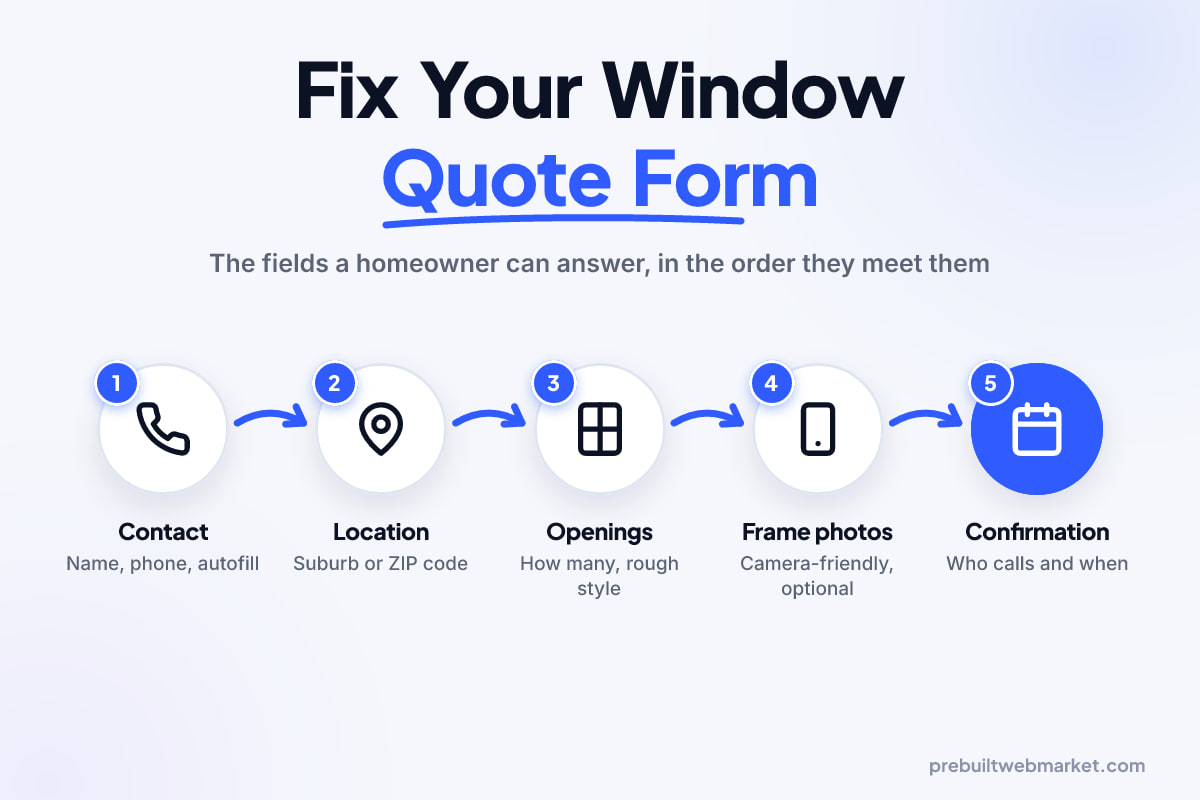
Quick answer
A window company website quote form should ask only what a homeowner can answer from the kitchen table: how many windows or doors, roughly what kind, the address and how to reach them. Make photos and the age of the home optional, with an honest "not sure" answer. Never require measurements before the visit: taking them is the estimator's job, and asking for them is where most homeowners stop.
Key takeaways
- The form exists to book an in-home measure, not to price the job, so every field should either help book that visit or help the estimator prepare for it.
- Number of openings, rough window style and the suburb or ZIP code are easy answers; exact sizes are not, and requiring them stalls the form.
- Give style and frame material questions a "not sure" option and plain-word descriptions, because most homeowners do not know the trade names.
- Photos of existing frames help the estimator more than any typed field, so offer a camera-friendly upload but never make it required.
- On a phone, use big tap targets, the right keyboard for each field and browser autofill for name, phone, email and address.
- The confirmation screen should say who will call, when, and what happens at the measure, so the homeowner stops shopping around.
In this article
- What the measure-and-quote form is for
- The typical quote form on a window website, top to bottom
- The heading and the contact block
- The questions homeowners can answer
- The questions that stall homeowners
- The submit button and what comes after it
- What the fixed version looks like
- What the estimator gets from the fixed form
- What changes when the website form is on a phone
- What to leave off
- When a longer form is the right answer
- A checklist for your window company website quote form
- How PrebuiltWebMarket fits in
- Your next step
- Frequently asked questions
A window company website quote form should ask only what a homeowner can answer without getting up from the kitchen table: how many windows or doors, roughly what kind, where the house is and how to reach them. Everything that needs a tape measure, a ladder or a trained eye belongs to the in-home measure, which is the thing the form exists to book.
That matters more for windows than for most trades. A replacement job is a large purchase, the homeowner is usually getting more than one quote, and they often fill in the form in the evening, on a phone, before they have talked to anyone. If the form asks them for the width of their bedroom window, many will simply close the tab and try the next company, whose form did not ask.
What the measure-and-quote form is for
The measure-and-quote form is for booking a visit, not for pricing a job. Nobody orders replacement windows from a web form. What the homeowner wants is a person to come out, look at the house, measure properly and give them a written price. What you want is enough information to send the right estimator, with the right samples, to a job you actually do.
So every field on the form has to earn its place in one of two ways. Either it helps book the visit (address, contact details, a preferred time), or it helps the estimator prepare for the visit (how many openings, what type, what the frames are like now). A field that does neither is friction with no return.
The GOV.UK Design System’s guidance on question pages, written for government forms but sound for any form, puts it in one line: “make sure you know why you’re asking every question and only ask users for information you really need.” It also says to “allow users to answer ‘I do not know’ or ‘I’m not sure’ if they are valid responses.” Both rules matter enormously on a window form, because so many of the honest answers are “I’m not sure”.
The form also sits inside a bigger website. If you are still deciding which pages a website for a window and door company needs around it, our Kentucky windows and doors guide covers the product pages, glazing explainers and area pages, and our windows and doors website designs show them built. This article stays with the form.
The typical quote form on a window website, top to bottom
The typical form asks for too much, too early, in the trade’s language rather than the homeowner’s. Below is an illustrative version, put together from the patterns that show up again and again on window and door websites. It is not any one company’s form, but most owners will recognise parts of their own in it.
From the top of the screen down, it usually looks like this:
- A heading that says “Request a Free Quote” and nothing else.
- Name, email, phone and full street address, all required, before anything about the job.
- “Number of windows” as a free text box.
- “Window style” as a dropdown of trade names: double-hung, single-hung, casement, awning, slider, picture, bay, bow, garden.
- “Frame material” as a required dropdown: vinyl, aluminum, wood, fiberglass, composite.
- “Approximate window sizes (width x height)” as a required text area.
- “Upload photos” as a plain file button with no explanation.
- “Year your home was built” as a required number field.
- A large “Comments” box.
- A submit button that says “Submit”.
Some of these fields are useful and badly asked. Some are useless. One of them, the sizes field, is where many homeowners give up. The next sections take them in order.
The heading and the contact block
The heading and contact block fail because they ask for commitment before they offer anything. A homeowner who has just scrolled through your product range wants to tell you about their windows, not hand over a phone number and full address first, which feels like the start of a sales call.
The heading
“Request a Free Quote” tells the homeowner nothing they did not already know. It does not say a person will visit, how long the visit takes or whether there is any obligation. A better heading names the actual next step: “Book a free measure and quote”, with one line underneath such as “An estimator visits, measures every opening and gives you a written price. Usually about an hour.” Use your own real timings, not ours.
Name, phone, email and address
Contact details belong at the end. Once the homeowner has told you about eight windows and a back door, they are invested, and a phone number feels like a natural last step rather than a toll gate.
Ask for one phone number and one email, and say how you will use each: “We’ll call to confirm a time. We’ll email your quote.” Make the address a normal address field, but consider asking only for the ZIP code or postcode early, so you can tell people outside your area straight away instead of after they have typed everything.
If you do ask for the postcode early, do not make them type it again in the full address later. The W3C’s guidance on avoiding redundant entry says forms should not ask for the same information twice in one process, noting that “requiring people to recall information previously entered can cause them to give up or re-enter the same information incorrectly.” Carry the postcode forward into the address step.
The questions homeowners can answer
The questions homeowners can answer are the ones about what they can see: how many openings, roughly what kind, and what the frames look like. The typical form asks all three, but asks them in a way that turns an easy answer into a hard one.
Number of openings
Counting windows and doors is the most useful thing a homeowner can do for your estimator, and almost everyone can do it. The problem is the free text box, where people type “all of them”, “8ish” or “3 windows and the slider”.
Use two simple counters instead: windows, and doors, each with a plus and a minus button and a “not sure yet” option. Add an optional line for “Which rooms?” for those who want to say more. The estimator then knows whether this is a single front door, a whole-house job or something in between, which decides how long to book and whether one person can measure it.
Window style
Window style is a good question asked in the wrong language. Many homeowners could not tell you the difference between a casement and an awning window, or a single-hung and a double-hung. Faced with a dropdown of trade names they guess, or they stop.
Replace the dropdown with picture buttons: a small line drawing of each style with a plain description (“opens out like a door”, “slides up and down”, “does not open”). You get a better answer, and the homeowner learns something about their own house.
Keep the list short: five or six common styles, “a mix”, “not sure” and “something else” for bay, bow and garden windows.
Frame material
Frame material is useful to know, but the typical form makes it required, and that is the mistake. Many homeowners genuinely do not know whether their frames are vinyl, aluminum or painted wood. A required field forces a guess, and a wrong guess is worse than no answer because the estimator prepares for the wrong job.
Make it optional, use plain words (“plastic or vinyl”, “metal”, “timber or wood”) and add “not sure”. In Australia the plastic option is usually called uPVC, so use the word your customers use. Better still, put the photo upload straight after this question with a line such as “Not sure? A photo of one frame tells us.”
The questions that stall homeowners
The questions that stall homeowners are the ones that need a tape measure, a document or a judgment they cannot make: exact sizes, a required photo and the year the house was built. Photos and the house’s age are worth asking differently; exact sizes are not worth asking at all, and none of the three should be required.
Rough sizes
The sizes field is where the typical window form loses the most people. Measuring a window properly is skilled work: you measure the opening in several places, check it is square and decide how the new frame will sit. Asking a homeowner to type “width x height” for every window asks them to do your estimator’s job, badly, on a phone, possibly in the dark.
Even when a homeowner does fill it in, the numbers are rarely usable. Some measure the glass, some the sash, some the outside of the trim. Nobody orders windows from those figures, so the estimator measures again anyway. The same logic is why our piece on the case for and against instant roofing quotes treats any website price as a range until someone has measured.
If you want a rough idea of scale, ask for size bands rather than numbers. “Mostly small (bathroom, toilet)”, “mostly standard (bedrooms, living room)” and “some large or full-height” with a “not sure” option tells the estimator what they need to know before the visit and asks nothing the homeowner cannot answer by looking around.
Photos of existing frames
Photos are the most useful thing a homeowner can send you, and the typical form hides them behind a bare “Choose file” button. A clear photo of one or two frames shows the estimator the material, style, condition, any rot and whether the opening looks standard, before they get in the van.
Three changes make the upload work. First, say why you want it: “A photo of one or two windows helps us bring the right samples.” Second, make it camera-friendly. MDN’s documentation for the file input element notes that with an image-only accept value, “many mobile devices also let the user take a picture with the camera”, and the multiple attribute lets them pick more than one photo at once. Third, keep it optional and say so in the label.
MDN also documents a capture attribute for camera input, where capture="environment" asks for the outward-facing camera. Use it with care. It can push some phones straight to the camera, which suits someone standing in front of the window but frustrates someone who already took photos earlier and wants to pick them from the gallery. For most window forms, an image-only accept value without capture is the safer default, because the phone then offers both.
Age of the home
The year the house was built is useful to your estimator, but the typical form asks for an exact year and makes it required. Plenty of owners, and most renters or adult children helping a parent, do not know the year. Asked for a number, they guess or they stop.
What the estimator really wants is a rough era, which hints at frame types, non-standard openings and older paint that may need lead-safe handling. Ask for bands instead: “before 1950”, “1950 to 1979”, “1980 to 1999”, “2000 or later”, plus “not sure”. Keep it optional. If older painted frames do turn up, the lead-safe rules that apply are set by regulators where you work, so check them yourself rather than relying on the form.
The submit button and what comes after it
The submit button and the screen after it are where the typical form throws away the trust it has just earned. A button that says “Submit” and a page that says “Thank you for your submission” leave the homeowner wondering whether anything happened and when they will hear back.
The button
Label the button with the outcome: “Book my free measure”. Make it full width on phones and put a short line under it that removes the last worry, such as “No obligation. We’ll call within one business day to arrange a time.” Only promise a reply time your office can actually keep.
The confirmation screen
The confirmation screen should say exactly what happens next: who will call, when, what the visit involves and what to have ready, such as access to each room and a note of any windows that stick or leak. Send the same details by email or text so they have it in writing.
This is also where window companies lose jobs without knowing it, because a homeowner comparing quotes often books the first company that replies clearly. Our article on why lead forms go quiet after launch was written for roofers, but the follow-up problem it describes is the same in your trade.
What the fixed version looks like
The fixed version is shorter, friendlier and in the homeowner’s words, yet it gives the estimator more useful information than the typical one, not less. It is the form we would put on any windows and doors website. Here is the same form rebuilt, again as an illustrative example you can adapt rather than a copy of any real company’s form:
- Heading: “Book a free measure and quote”, with one line on what the visit involves.
- Postcode or ZIP code, with an instant answer on whether you cover it.
- Windows, doors or both? Three large buttons.
- How many? Counters for windows and doors, with “not sure yet”.
- What kind? Picture buttons with plain descriptions, plus “a mix” and “not sure”.
- What are the frames like now? Optional, plain words, “not sure”, and a pointer to the photo step.
- Photos (optional): “One or two photos help us bring the right samples.”
- Roughly how old is the house? (optional) Era bands and “not sure”.
- What made you start looking? (optional) Short choices such as draughts, condensation, noise, a broken window, a renovation or selling the house.
- When suits you for a visit? Weekday, weekend, mornings or afternoons.
- Your details: name, phone, email and the rest of the address, with the postcode already filled in.
- Button: “Book my free measure”, with a one-line promise you can keep underneath.
Contact details moved to the end, dropdowns became pictures, sizes disappeared and the year became a band. The new question, what made you start looking, often tells your estimator the most: a draughty 1970s house, a noisy main road and a cracked sliding door are very different conversations.
Our Northlight Windows and Doors demo, an Adelaide example from our design range, shows how a measure-and-quote request fits alongside product and glazing pages on a finished site.
What the estimator gets from the fixed form
The estimator gets a better brief from the fixed form, even though it asks fewer hard questions. Before the visit they know whether it is windows, doors or both, roughly how many, roughly what type, whether there are photos, the house’s rough era and what is bothering the homeowner. That is enough to plan the visit.
In practice, it lets your office:
- Book the right length of visit. A single door is a short stop; twelve windows across two storeys is not.
- Send the right person. Photos and the era band show when a heritage timber or large-door specialist should go.
- Bring the right samples. “What made you start looking” says whether to lead with acoustic glass, thermal performance or a security door.
- Prepare the conversation. A homeowner who ticked “condensation” wants a different talk from one who ticked “selling the house”.
None of this needs exact sizes. The estimator collects those on site, with their own tape and method, which is the only way they end up accurate enough to order from.
What changes when the website form is on a phone
A window quote form on a phone has to work with one thumb, on mobile data, often while the homeowner is standing in the room they are thinking about. That changes the details more than the questions.
Tap targets and controls
Counters, picture buttons and the submit button all need to be big enough to hit without zooming. The W3C’s guidance on minimum target size sets 24 by 24 CSS pixels as the minimum, or enough spacing between smaller targets, and points to the stricter 44 by 44 measure for important controls. On a quote form, every button is an important control, so aim for the larger size.
Avoid dropdowns where you can: on a phone, a long list of window styles opens a small scrolling wheel. Large buttons are faster to read and tap.
Keyboards and autofill
Each field should bring up the right keyboard: numbers for the postcode or ZIP code, the phone keypad for the phone number, the email keyboard for email. Then let the browser fill in what it already knows. The W3C’s guidance on identifying input purpose explains that marking fields such as name, phone, email and address with the standard autocomplete values lets browsers “suggest and ‘autofill’ the right content”, which relieves people of typing. On a phone, that can turn the contact step into a few taps.
Photos and slow connections
Phone photos can be large. Make sure your website form shows that a photo is uploading, and if the upload fails, keep everything else the homeowner typed and let them send the form without it.
What to leave off
What to leave off is anything the homeowner cannot answer, anything the estimator will redo on site, and anything that is really a sales question. On most window and door forms, that list looks like this:
- Required exact measurements. Covered above. Size bands at most.
- Glass and energy-rating questions. Double or triple glazing and low-E coatings are what they come to you to explain. Cover glass on its own page and at the visit.
- Budget. A budget dropdown makes homeowners uneasy and invites a guess. Leave it for the call.
- “How did you hear about us?” as a required field. Useful for you, irrelevant to them. Make it optional or ask it on the phone.
- A required comments box. Keep a comments box, but optional, short and placed near the end.
- Asterisks. The GOV.UK pattern says never to mark mandatory fields with asterisks; instead, add “(optional)” to the few fields that are optional. On a short form, that is clearer.
- Captcha puzzles. If spam is a problem, try a hidden field or a background spam check before you make homeowners pick out traffic lights.
If you show prices at all, show them on the page around the form, as typical ranges for common jobs, not as a calculator inside it.
When a longer form is the right answer
A longer form is the right answer when the person filling it in already knows the details, or when you are not booking an in-home measure at all. The rules above are for homeowners booking a visit. Three groups are different.
- Builders, renovators and architects often have plans with every opening sized. A separate “Trade and new builds” form on your website that accepts drawings and a window schedule helps them. Label it so homeowners do not land on it by mistake.
- Supply-only customers need to give sizes, frame type and glass choices before you can quote at all. That form can be longer, as long as it explains how to measure and says you will check the figures before anything is made.
- Repairs, such as one broken pane or a sticking sliding door, fit a short “Repair or service” form that asks what is wrong and invites a photo.
The principle is the same in every case: ask for what this person knows, for this kind of job.
A checklist for your window company website quote form
Use this checklist on your own window company website quote form. Open it on your phone, go through the list, and fix anything that fails before you change the design or the copy around it.
- The heading names the next step, such as a free measure and quote, and says what the visit involves.
- The service area check comes first and answers immediately.
- Contact details come last, with the right keyboard and autofill for each field.
- Counts, styles and frame materials use buttons, plain words and a “not sure” option.
- No field requires exact measurements.
- The photo upload is optional, explains why, and works with the phone camera.
- The age of the home is an optional band.
- Nothing is asked twice, including the postcode.
- Every button is easy to tap with one thumb, and the main one says what happens.
- The confirmation screen says who will call, when, and what the visit involves, and the same details arrive by email or text.
- Someone in your office actually calls when the confirmation says they will.
The last point is not about the form, but it is the reason the form exists. If requests sit in an inbox overnight, a perfect form still loses jobs. Tools such as a CRM, customer relationship management software, can text the homeowner instantly and remind your team to call; our GoHighLevel CRM service is one way to set that up, and our solar savings calculator build covers the handoff from a website tool to a real person, in a trade where buyers also compare carefully.
How PrebuiltWebMarket fits in
Every design in our windows and doors website range comes with a measure-and-quote request form that we set up with the questions your estimators actually use, plus product range pages, glazing explainers and a project gallery. It is customised to your brand and service area and launches within 7 business days of receiving your content, with 100/100 on-page SEO and 95+ PageSpeed guaranteed at launch. Plans start at $97 a month plus a $297 setup fee, month-to-month, with a 30-day money-back on the first month; the full detail is on our plans and pricing page.
If you would rather fix the form on your current site, the checklist works on any platform; if you are weighing a rebuild, our page that compares prebuilt, DIY and agency options sets out when each route makes sense.
Your next step
Open your own quote form on your phone tonight and run the checklist. Fix the required sizes field first if you have one, then move the contact details to the end. If you would like a second pair of eyes on it, or want to see how a prebuilt windows and doors website would handle your service area, book a free 45-minute call and we will go through it with you.
Sources
- GOV.UK Design System: Question pages
- W3C: Understanding WCAG Success Criterion 1.3.5 Identify Input Purpose
- W3C: Understanding WCAG 2.2 Success Criterion 2.5.8 Target Size (Minimum)
- W3C: Understanding WCAG 2.2 Success Criterion 3.3.7 Redundant Entry
- MDN Web Docs: input type="file"
- MDN Web Docs: The capture attribute
Frequently asked questions
Should my window quote form ask for window sizes?
Not as a required field. Most homeowners do not know their window sizes, and measuring windows properly is the estimator's job at the visit. If you want a rough idea, offer size bands such as small, standard and large or full-height, with a "not sure" option, or invite a photo instead. Exact measurements typed by a homeowner are rarely accurate enough to order from anyway.
How many fields should a window and door quote form have?
There is no magic number. Count the questions a homeowner has to stop and think about rather than the boxes on the screen. A good measure-and-quote form usually needs the number of openings, a rough type, the address, a preferred time and contact details. Everything else should be optional, or saved for the phone call that confirms the visit.
Is a photo upload worth adding to my window website form?
Yes, as long as it is optional. A photo of an existing frame shows the estimator the material, condition, style and any obvious problems before they drive out. On phones, a file input that accepts images usually lets people take a picture straight away. Ask for one or two clear shots, say why you want them, and accept the form without any.
Why do people start my quote form and not finish it?
The usual causes are a required question they cannot answer, such as exact sizes or the frame material; a form that is slow or fiddly on a phone; or contact details demanded before they have said what they want. Check which field people stop at, if your form tool reports it, and make that field optional or remove it.
Should I show prices on my window company website instead of a form?
You can show starting prices or typical ranges for common jobs, and many buyers appreciate it. A firm price still needs a measure, because sizes, access, frame condition and glass choices vary. Use ranges to set expectations, label them clearly as a guide, and keep the measure-and-quote form as the way to get a real number.
What should happen after someone submits a measure-and-quote request?
They should see a confirmation screen that says what happens next and when, and receive the same details by email or text. Then a person should call to confirm the visit. Window jobs are large purchases, so a quick, clear reply often matters more to the homeowner than anything else on the website.
Do I need separate forms for windows and for doors?
Usually not. One form with a first question asking whether it is windows, doors or both keeps things simple, and the later questions can change to match the answer. A separate form makes sense only if doors are a different team or a different visit, such as a supply-only showroom order.