
Quick answer
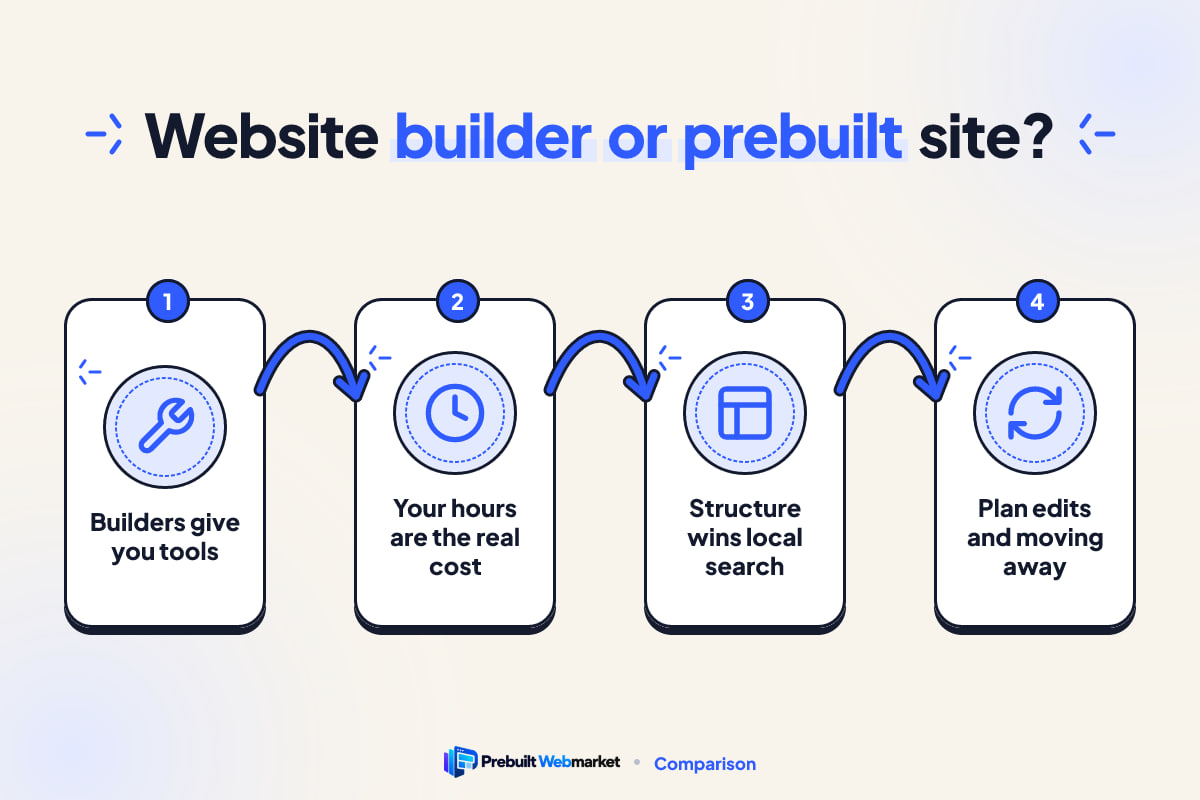
A DIY website builder such as Wix or Squarespace is the right call when you have more time than budget and need a simple site. A prebuilt website is better when your hours are worth more on jobs than on design, and you need speed, local SEO and lead follow-up handled. Count your own time as a cost before you decide.
Key takeaways
- A builder gives you tools; a prebuilt website gives you a finished, tested site customised to your business. You are choosing who does the work.
- The builder subscription is rarely the biggest cost. Your own hours designing, writing, fixing and updating usually are.
- DIY builders are a good fit for new businesses testing an idea, hobby-scale side work and owners who enjoy building.
- For local search, what matters is the structure: a page for each service and area, fast mobile pages, clear answers and consistent business details.
- Whichever route you take, plan who handles edits, how enquiries get answered and how you would move away later.
- A PrebuiltWebMarket site costs from $97 a month plus $297 setup, launches within 7 business days of receiving content and is month-to-month.
In this article
- Website builder vs prebuilt website: the short answer
- What is the difference between a website builder and a prebuilt website?
- When a DIY website builder is the right call
- When a DIY builder costs more than it saves
- Time: the hidden cost of building it yourself
- What does a good small business website look like?
- Cost: what each option really costs in the first year
- Speed and mobile performance on each kind of website
- Can a website builder site rank on Google and in AI answers?
- Maintenance, edits and what happens to each enquiry
- Switching from a builder to a prebuilt website
- A checklist to decide between a builder and a prebuilt website
- How PrebuiltWebMarket helps local service businesses
- Your next step
- Frequently asked questions
The honest answer to website builder vs prebuilt website is that it depends on whose time pays for the site. A DIY builder such as Wix, Squarespace or GoDaddy is cheaper on the invoice and fine for a simple site, if you have hours to spare. A prebuilt website costs more each month but arrives finished, fast and structured for local search, so you spend your time on jobs instead of design.
This guide is for owners of local service businesses in the United States and Australia: roofers, cleaners, movers, tradies, clinics and anyone else who needs the phone to ring. It compares the two routes on the five things that decide whether a site is worth having: time, real cost, speed, SEO and upkeep. It also says plainly when the builder is the better choice, because for some businesses it is.
Website builder vs prebuilt website: the short answer
If you only read one section, read this one. Both options can give you a working small business website. They differ in who does the work, how long it takes and how much of the result depends on your own skill.
The table below sums up the trade-offs for a typical local service business.
| What matters | DIY website builder | Prebuilt website |
|---|---|---|
| Who builds it | You | The provider |
| Time until it is live | Weeks of your evenings, typically | About 7 days with PrebuiltWebMarket |
| Monthly cost on the invoice | Lower | Higher |
| Your own hours | Many at the start, some every month | A few for content and approvals |
| Design | Generic template you adapt | Finished design for your industry |
| See the result before you pay | No, you see a template | Yes, as a live demo |
| SEO structure | Whatever you plan and write | Service and area pages built in |
| Edits and fixes | You do them | Included in the plan |
A builder is a set of tools. A prebuilt website is a finished product. Neither is better in every case, and the rest of this article helps you work out which one fits your business right now. For every option side by side, including WordPress, freelancers and agencies, see our comparison of website options.
What is the difference between a website builder and a prebuilt website?
A website builder is software you use to make your own site from templates and drag-and-drop blocks. A prebuilt website is a complete site for your industry that already exists, which a provider customises with your details and launches for you. With a builder you are the designer, writer and maintainer. With a prebuilt site you are the client.
That one difference drives most of the others, so it is worth being precise about what each one actually gives you.
What a DIY website builder gives you
Wix, Squarespace, GoDaddy and similar builders give you hosting, a security certificate, a library of templates, an editor and usually a set of add-ons for forms, bookings or payments. They are well made, easy to start and genuinely cheap at the entry level.
What they do not give you is the content, the page plan or the judgement. A template shows where a headline goes, not what it should say to a homeowner with a leaking roof at 9pm. You decide which pages to create, write every word, pick and size every photo, connect the forms and check that it all works on a phone.
What a prebuilt website gives you
A prebuilt website starts as a working site for one industry. The pages a customer expects are already there: home, services, pricing or estimates, service areas, reviews, about and contact, with calls to action and forms placed where they get used. You can open it and click through it before you buy, the way you would test drive a car.
The provider then swaps in your logo, colours, services, prices, photos, phone number and the areas you serve, and launches it on your domain. With PrebuiltWebMarket, hosting, SSL, daily backups, security and a set number of monthly edits are part of the plan. Our article on prebuilt vs custom websites covers the other side of this choice, against a fully custom build.
Where the line blurs
Builders sell templates for plumbers and cleaners, and some prebuilt providers sell little more than a template. The useful test is simple: who writes the pages, who sets up the forms and SEO, and who fixes it when something breaks? If the answer is you, it is a builder, whatever the marketing says.
When a DIY website builder is the right call
A builder is the right call more often than prebuilt providers like to admit. If any of the situations below describe you, start with a builder and revisit the decision later.
You are testing an idea before it is a business
If you are pricing a new service, checking whether anyone in your area wants it, or running weekend jobs alongside a full-time role, a one or two page site on a builder is enough. You need a place to send people and a phone number, not a 40 page site. Spending as little as possible until the idea is proven is sensible.
You have more time than money, and you enjoy it
Some owners like design and writing. If you would happily spend evenings choosing fonts and rewriting your services page, and you will keep doing it as the business changes, a builder lets you control every detail at low cost. Be honest about the second half of that sentence: a site built with enthusiasm and then left alone for two years is common.
You need an online presence, not a lead engine
Some businesses get nearly all their work from referrals, a long-standing contract or a trade relationship. A site that confirms you are real, lists your services and shows a phone number is all they need. A builder does that well and cheaply.
You already have the skills in-house
If a partner, family member or employee designs websites for a living and will maintain yours, a builder or WordPress may be the most efficient route. The time cost is lower when the person doing the work already knows how.
When a DIY builder costs more than it saves
The builder route gets expensive in ways that do not appear on the invoice. These are the situations where it usually costs more than it saves.
- Your hours are worth more on jobs. If a day on the tools brings in more than a month of the price difference, every evening spent building is money lost.
- You need leads from search, not just a presence. Ranking for “roof repair” in your city needs a structured site with real service and area pages. Most DIY sites stop at five pages.
- The site is slow on phones. Customers searching on a phone leave a slow page. Fixing speed on a builder can mean trading features for performance, which most owners do not know how to judge.
- Nobody answers the form fast. A form that sends an email nobody reads until the evening loses jobs to whoever replied first.
- The site never changes. Seasonal offers, new services and fresh reviews never get added because each change means logging in and remembering how the editor works.
None of these is the builder’s fault. They are what happens when a busy owner is also the web designer. Our guide to why a site gets visits but no leads is written for roofers, but the six problems it describes apply to any trade.
Time: the hidden cost of building it yourself
Time is the cost most owners underestimate, because the editor makes the first hour feel fast. The slow part is everything around the drag and drop: deciding what to say, writing it, finding photos, testing forms and fixing the mobile layout.
The table below lists the work involved in a proper local business site and who does it under each route.
| Task | DIY website builder | Prebuilt website |
|---|---|---|
| Plan the pages and menu | You | Already done for your industry |
| Write the home and service pages | You | Provider adapts proven copy with your details |
| Write a page for each service area | You | Provider, from your list of areas |
| Choose and resize photos | You | Provider, using your photos where you have them |
| Set up forms, email and SMS alerts | You | Provider |
| Set up Google Analytics | You | Provider |
| Test on phones and fix layout | You | Provider, with guaranteed scores at launch |
| Monthly edits and fixes | You | Included (3 a month on Launch, more on higher plans) |
You still have work to do with a prebuilt site: supplying your logo, services, prices, photos and areas, and approving the result. That is a few hours, not weeks. Our article on how long a business website takes to build breaks the timeline down stage by stage.
Putting a value on your own hours
To compare the two routes fairly, put a number on your own time. Pick an hourly figure that reflects what you could earn or what you would pay someone else, then estimate the hours honestly.
The chart below is a worked example, not a measurement. It assumes your time is worth $60 an hour and shows the value of 20, 40 and 60 hours spent building, next to our one-time $297 setup fee.
- PrebuiltWebMarket setup fee$297
- 20 hours of your time$1,200
- 40 hours of your time$2,400
- 60 hours of your time$3,600
Swap in your own hourly figure and estimate. Monthly fees are compared separately below.
Source: Illustrative example: hours multiplied by an assumed $60 an hour; setup fee from PrebuiltWebMarket pricing, 2026
The maths is simply hours multiplied by your rate: 20 × $60 = $1,200, 40 × $60 = $2,400 and 60 × $60 = $3,600. If your rate is lower, or you would build in hours you would never bill anyway, the builder looks better. If you would be giving up paid work, it looks worse.
The ongoing hours nobody plans for
The first build is not the end. Every new service, price change, holiday closure, new photo or seasonal offer means another session in the editor. Builders also change their editors and features over time, so the way you did something last year may not be how you do it now. Owners who budget for the build but not the upkeep end up with a site that slowly falls out of date.
What does a good small business website look like?
A good small business website lets a visitor understand what you do, where, and roughly what it costs within a few seconds, and then contact you in one tap. That is true whichever route you choose, and it is the standard to hold any builder site or prebuilt site to.
These are the parts that matter most for a local service business:
- A clear headline that names the service and the area, not a slogan.
- A call or quote button visible at the top of every page on a phone.
- A page for each main service, with what is included, how it works and a starting price or price range where you can give one.
- A page for each area you really serve, written for people who live there.
- Reviews and proof: licences, insurance, guarantees and photos of real work.
- A short form that asks only what you need to reply, and alerts you straight away.
Real examples you can click through
The easiest way to judge any option is to look at finished sites, not template thumbnails. Our roofing demo Summit Peak Roofing in Denver shows sample roof prices and good-better-best options on the page. The cleaning demo Brightwell Home Care in Austin gives instant online pricing for recurring and move-out cleans. For Australia, Harbour City Removals in Sydney leads with fixed-price house, office and interstate removals.
Each of those is a complete site, not a mock-up. You can browse the rest by trade on our roofing website demos, cleaning website demos or the full list of prebuilt websites by industry.
Why industry-specific structure matters
A roofer’s site needs storm damage and insurance pages. A cleaner’s needs plan pricing and booking. A removalist needs an inventory or quote form. A general template has none of this until you build it, and you only know what to build if you have seen what works in your trade. A prebuilt site starts with those decisions already made.
Cost: what each option really costs in the first year
The fair way to compare cost is the first-year total: the subscription, any setup fee, paid add-ons and the value of your own time. Comparing the monthly subscription alone makes the builder look far cheaper than it usually is.
The table below lists what to add up for each route. We describe builder costs in general terms because plans, add-ons and prices change often and vary by provider. Check the current price of any plan before you rely on it.
| Cost item | DIY website builder | PrebuiltWebMarket |
|---|---|---|
| Monthly or yearly plan | Lower; varies by builder and tier | $97, $297 or $497 a month |
| Setup | Usually none | $297 one-time on every plan |
| Domain | Often extra after the first year | You own and keep your domain |
| Forms, booking or SMS add-ons | Often paid apps or higher tiers | Lead forms to email and SMS included |
| Hosting, SSL and backups | Included | Included |
| Your build hours | Many | A few for content and approval |
| Monthly edits | Your time | 3 a month on Launch, 10 on Growth, unlimited on Scale |
What our plans cost in year one
Here is our side, worked out fully. Each plan’s first-year cost is twelve months of the plan plus the one-time $297 setup fee.
- $1,461Launch
- $3,861Growth
- $6,261Scale
12 monthly payments plus the $297 setup fee. Paying yearly costs $970, $2,970 or $4,970 plus setup.
Source: PrebuiltWebMarket pricing, 2026
The chart shows Launch at $1,461 in the first year (12 × $97 + $297), Growth at $3,861 (12 × $297 + $297) and Scale at $6,261 (12 × $497 + $297). Paying yearly lowers each total: Launch becomes $1,267 with setup. Full details are on our plans and pricing page.
How to compare fairly
Take the builder plan you would actually need, including the tier that unlocks the features you want, and add any apps. Add your own hours at your rate from the earlier example. Then compare that total with the Launch plan. For some owners the builder is still clearly cheaper. For many busy owners the totals end up much closer than the monthly fees suggest, and the prebuilt site is finished weeks sooner.
Speed and mobile performance on each kind of website
Speed matters because most people looking for a local service search on a phone, often on mobile data, and a slow page loses them before they see your number. Google also tracks how real visitors experience your pages, through a set of loading and responsiveness measures it calls Core Web Vitals.
Builders have improved a great deal, and a lean site on any major builder can perform well. The problems usually come from what owners add: large uncompressed photos, video backgrounds, animation, several apps and third-party chat widgets. Each one adds code the phone has to download and run.
How to check any site’s speed in two minutes
You do not need to be technical to test this. Run the check on your current site, a builder site you are considering and any demo you like.
- Open Google’s free PageSpeed Insights tool and paste in the page address.
- Look at the mobile score, not the desktop one.
- Read the Core Web Vitals result, which shows whether real visitors get a fast experience.
- Repeat for your most important service page, not just the home page.
Then do the human test: open the site on your own phone, on mobile data, and see how long it takes before you could tap to call. Our guide to website speed for local businesses explains what slows sites down and what fixes help most.
What we guarantee and what we do not
Every PrebuiltWebMarket site is guaranteed to score 100 out of 100 for on-page SEO and 95 or more for PageSpeed performance at launch. We build on a lean framework that sends the browser very little code. What we do not do is promise rankings or traffic, because nobody can honestly guarantee those. A fast, well-structured site gives you a fair chance; content, reviews and competition decide the rest.
Can a website builder site rank on Google and in AI answers?
Yes. A site built on Wix, Squarespace or another major builder can rank in Google and be cited by AI assistants. The platform is rarely the deciding factor. What decides it is whether the site has clear pages for each service and area, helpful answers, fast mobile pages, reviews and consistent business details.
The question is not “can it rank” but “will you build what ranking needs”. That is where the two routes really differ.
What builders handle well
Major builders take care of the technical basics: a secure connection, a sitemap, mobile layouts, editable page titles and descriptions, and clean addresses for each page. For a business with little competition, those basics plus a few good pages can be enough.
Where DIY sites usually fall short
Most DIY sites rank poorly for reasons that have nothing to do with the builder:
- One services page instead of one page per service. “Roof repair”, “roof replacement” and “gutter installation” are different searches and each needs its own page.
- No area pages. People search with a suburb or city name, and a site that never mentions those places gives Google little reason to show it there.
- Thin content. A sentence or two per service does not answer the questions customers actually ask.
- No structured data. Schema markup tells search engines your business type, address, hours and FAQs in a format they read directly. Many owners do not know it exists.
- No new content. A site that never changes gives search engines little reason to return to it.
Being recommended by AI assistants
More customers now ask ChatGPT, Gemini, Perplexity or Google’s AI Overviews for a recommendation. Two terms describe how to be found there. AEO, answer engine optimisation, means writing content so it can be lifted as a direct answer. GEO, generative engine optimisation, means making your business easy for AI tools to understand, trust and cite. Our plain-English explainer on AEO and GEO for local businesses covers both.
In practice the steps are the same on any platform: say what you do, where and for how much in plain sentences, answer common questions directly, add FAQ and LocalBusiness schema, and keep your business name, address and phone identical everywhere. A builder lets you do all of that. You just have to do it, every month.
The content question
The biggest gap between a site that ranks and one that does not is usually steady, useful content. Few owners have time to write two good articles a week after a day on the tools. If you will, a builder is fine. If you will not, either pay someone or accept that search will bring fewer enquiries than it could.
If you would rather hand it off, our SEO blog package publishes two SEO, AEO and GEO articles a week on your site and sets up Google Search Console and Bing Webmaster Tools.
Maintenance, edits and what happens to each enquiry
A website is never finished. Prices change, services get added, staff come and go and a storm season or holiday rush needs a new offer on the home page. The route you choose decides who makes those changes and how quickly.
Who makes the changes
On a builder, you do. That is fine if changes are rare and you remember how the editor works. It becomes a problem when the update you need is urgent, such as a new phone number, and you are on a job site.
On a prebuilt plan, you send the change and the provider makes it. With PrebuiltWebMarket, the Launch plan includes 3 content edits a month, Growth includes 10 and Scale includes unlimited edits. Hosting, security updates, SSL and daily backups are handled as part of every plan.
What happens after someone fills in the form
The site’s job ends when someone enquires. Yours starts. Many local businesses lose work not because the site is poor but because the enquiry sits unanswered while the customer calls the next company on the list.
The table below shows a simple follow-up routine that works on any platform, done by hand or automated.
| When | What happens | Why it matters |
|---|---|---|
| Within a minute | Automatic text and email confirming you received the enquiry | The customer knows a real business got it |
| Within an hour | A call or personal message with next steps | Speed often decides who gets the job |
| Next day | A follow-up if there was no reply | People get busy, not uninterested |
| After the job | A review request by text | Fresh reviews help both search and trust |
| Missed call | An automatic text back offering to help | A missed call is a lost lead unless you respond |
Doing it by hand vs automating it
You can run that routine yourself with a phone and a reminder app, and many owners do. It breaks down when you are busy, which is exactly when the most enquiries arrive. Builders offer some form and email automation, usually through paid add-ons. A CRM, customer relationship management software, keeps every lead in one place and sends the follow-ups for you.
Our Scale plan connects your website to a GoHighLevel CRM with automated SMS and email follow-up, missed-call text-back and review requests. You can read what is included on the GoHighLevel CRM package page.
Switching from a builder to a prebuilt website
Plenty of owners start on a builder and move later, which is a sensible path. The move is low risk if it is handled carefully, and the main thing to protect is whatever search visibility your current site has earned.
How to move without losing what you have built
- List every page on your current site, including any that get traffic or have links from other sites.
- Map each old page to a page on the new site, for example your old services page to the new roof repair page.
- Set up permanent redirects from each old address to its new one, so visitors and search engines land in the right place.
- Keep your business name, address and phone identical to your Google Business Profile and directory listings.
- Submit the new sitemap to Google Search Console and Bing Webmaster Tools.
- Check for broken links in the weeks after launch and fix any that appear.
When a business moves to PrebuiltWebMarket, we do the page mapping and redirects, then submit the new sitemap to Google and Bing.
Questions to ask any provider about leaving
Whichever route you choose, ask how you would leave. Who owns the domain? Can you export your content? Are you on a contract, and for how long? With PrebuiltWebMarket you own your domain, your content and your leads, and plans are month-to-month. With builders, check whether your domain is registered in your name and how easily pages can be exported.
A checklist to decide between a builder and a prebuilt website
Answer these questions honestly. If most of your answers land in the left column, start with a builder. If most land in the right, a prebuilt website will probably serve you better.
- Budget: is every dollar a month critical right now, or is your time the scarcer resource?
- Hours: can you put in several weeks of evenings now and a few hours every month after?
- Goal: do you need a simple online presence, or a steady flow of enquiries from search?
- Competition: are there one or two others in your area, or dozens of competitors with strong sites?
- Skills: have you built and maintained a site before, or would you be learning as you go?
- Follow-up: will someone reply to every enquiry within the hour, every day?
- Growth plans: are you adding services or areas soon, which means more pages to write?
A 30-day plan for either route
Whatever you decide, the first month looks similar. Here is a simple plan.
- Week 1: list your services, the areas you really serve and your starting prices. Gather your logo, best photos and five or more reviews.
- Week 2: build or approve the home, service and area pages. Make sure the call button and form are on every page.
- Week 3: test on your phone, run PageSpeed Insights, submit the sitemap and update your Google Business Profile with the new site address.
- Week 4: set up your follow-up routine, ask recent customers for reviews and plan your first two helpful articles.
On a builder you do all four weeks yourself. On a prebuilt plan you do most of week 1 and approve week 2, and the rest is done for you within 7 business days of receiving your content.
How PrebuiltWebMarket helps local service businesses
We build websites for local service businesses from designs that already exist and already work. There are 113 live demos across 29 industries, and you can open and test every one before you decide.
Here is how it works:
- You pick a design from the live demos by industry and tell us about your business.
- We customise it with your logo, colours, services, prices, photos and the areas you serve.
- We launch it within 7 business days of receiving your content, on your own domain.
- We look after it: hosting, SSL, daily backups, security and your monthly edits are included.
Every site is guaranteed to score 100 out of 100 for on-page SEO and 95 or more for PageSpeed performance at launch. If you are not happy within 30 days, we refund your first month. Plans are month-to-month, with no contract, and you keep your domain, content and leads.
We serve businesses across the United States and Australia; you can see demos and pages for your state on our locations by state page. If a builder genuinely suits your business better, we will tell you on the call. Some owners are better served by doing it themselves for a year first, and that is a fine answer.
Your next step
If you have spare evenings, a simple offer and a tight budget, try a builder and give yourself a deadline. If the site is not live and bringing enquiries within a couple of months, that tells you something about where your time is best spent.
If you would rather have a finished, fast site working for you in about a week, open the live demos and find one close to how you want your business to look. Then book a free call and we will help you choose a design and a plan. If you prefer to write, use our contact form and we will reply.
Frequently asked questions
Is a website builder cheaper than a prebuilt website?
On the invoice, usually yes. A builder subscription costs less each month than a done-for-you site. The difference narrows once you count your own time to design, write, test and update the site, and any paid apps you add. If your hours are worth more on jobs than at a keyboard, a prebuilt website can cost less overall in the first year.
Can a Wix or Squarespace site rank on Google?
Yes. The platform is rarely what stops a small business site from ranking. What matters more is whether you have a clear page for each service and area, helpful content, fast mobile pages, reviews and consistent business details. Builders can do this, but you have to plan and write it yourself, and many owners never get past a five-page site.
What is a prebuilt website?
A prebuilt website is a complete, tested website for a specific industry that already exists before you buy it. You can click through it as a live demo, then the provider customises it with your logo, colours, services, prices and areas and launches it on your domain. You get a finished site instead of a blank template and a set of tools.
How long does it take to build a site with a website builder?
It depends on how much you need and how fast you write. A single page can be done in an afternoon. A proper local business site with service pages, area pages, photos, forms and testing usually takes weeks of evenings for a first-timer, because writing the content takes far longer than dragging blocks around.
When should a small business use a DIY website builder?
Use a builder when budget is very tight, you have spare hours, and a simple site is enough for now: for example while testing a new service, running a side business or waiting for your first steady customers. It also suits owners who genuinely enjoy design and will keep the site updated themselves.
Can I move from Wix or Squarespace to a prebuilt website without losing rankings?
Yes, if the move is handled properly. Your existing pages are mapped to pages on the new site and permanent redirects are set up so old links and the rankings they earned carry over. The new sitemap is then submitted to Google and Bing. PrebuiltWebMarket does this mapping as part of moving a business onto one of its sites.
Do I own a prebuilt website?
Check the terms of any provider before you sign. With PrebuiltWebMarket you own your domain, your content and your leads, and plans are month-to-month with no contract. The hosting, design system and maintenance are part of the monthly plan, which is why edits, security and updates are included rather than billed separately.
What does a prebuilt website cost with PrebuiltWebMarket?
The Launch plan is $97 a month and covers the website, hosting, SSL, backups and 3 content edits a month. Growth is $297 a month and adds 2 SEO articles a week. Scale is $497 a month and adds a GoHighLevel CRM with automated follow-up. Every plan has a one-time $297 setup fee and a 30-day money-back guarantee on the first month.
Is a prebuilt website the same as a template?
No. A builder template is a starting layout: you still write every page, choose every section and set up the forms and SEO. A prebuilt website is a finished site built for one industry, with the pages, calls to action and structure already in place, then customised and launched for you. You see exactly what you will get before paying.
Where to go next