
Quick answer
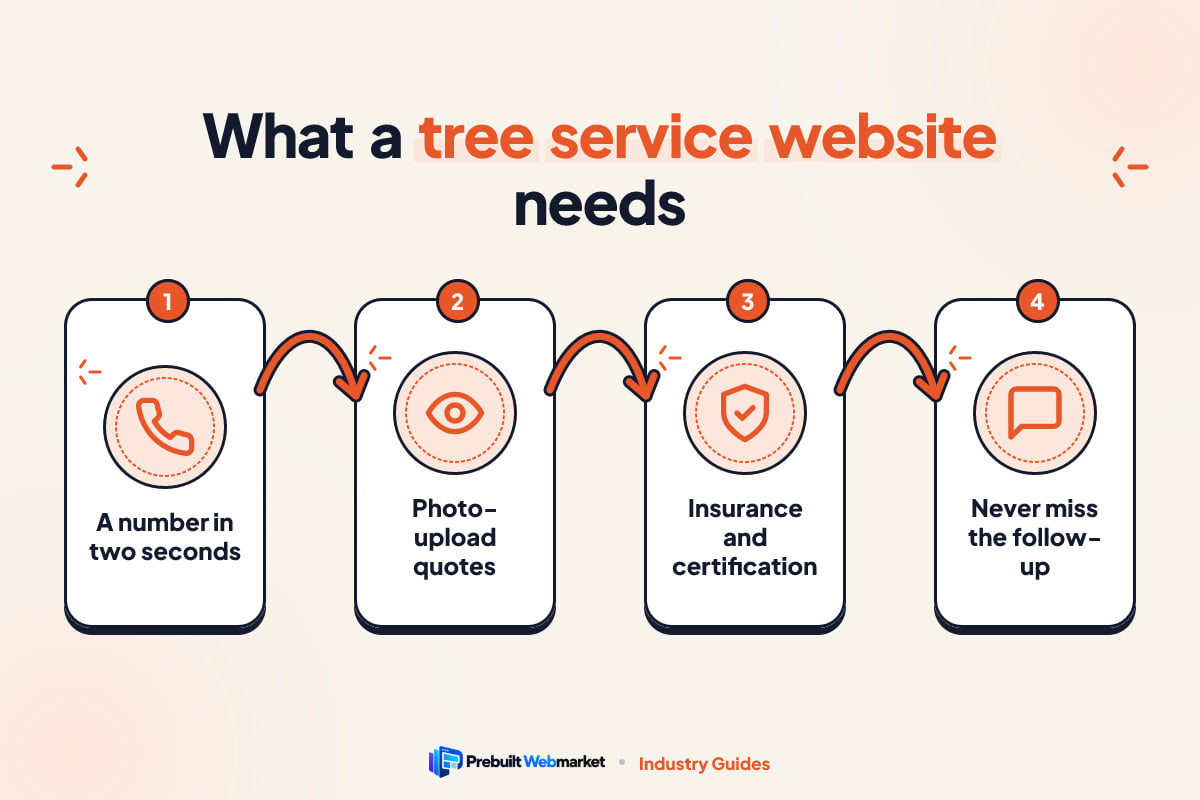
A tree service website has two jobs: answer the storm call at any hour with one tap, and turn planned removal, trimming and stump work into estimate requests with a photo-upload quote form. It needs a page per service and area, insurance and credentials on every page, fast mobile loading and instant follow-up. A prebuilt version launches in about 7 days from $97 a month.
Key takeaways
- Design for two visitors: the panicked storm caller who needs a phone number in two seconds, and the planner comparing three companies for a removal next month.
- A photo-upload quote form lets you price many jobs without a site visit and filters out work you do not want.
- Show insurance, credentials such as ISA certification, and real crew and equipment photos above the fold. Tree work is dangerous and customers know it.
- Build one page for each service and each area you genuinely cover, and keep the mobile site fast enough to load on a weak signal after a storm.
- Most lost tree jobs are lost after the visit, not before it: missed calls and slow estimate replies send people to the next company.
- A prebuilt tree service website costs from $97 a month plus $297 setup, launches in about 7 business days and is month-to-month.
In this article
- What does a tree service website need to do?
- Tree service website design: the pages you need
- Features that turn visits into estimate requests
- Design choices that build trust in tree work
- How fast should a tree service website load?
- Tree service website SEO: how to be found on Google
- How do tree companies get recommended by AI assistants?
- Lead capture and follow-up: answering every storm call
- What does a tree service website cost?
- Mistakes that cost tree companies jobs
- A launch checklist for your tree service website
- How PrebuiltWebMarket helps tree service companies
- Your next step
- Frequently asked questions
A good tree service website does two jobs that pull in different directions. When a limb comes through someone’s roof at 11pm, it has to put your phone number under their thumb in two seconds. When a homeowner is planning to remove a leaning oak next month, it has to convince them, calmly and with proof, that your crew is the safe, insured and fairly priced choice. Everything else on the site serves one of those two moments.
This guide is the complete version for owners of tree removal, trimming and arborist companies. It covers what the site must do, the pages and features that matter, design, speed, how to be found on Google and recommended by AI assistants, how to follow up so leads turn into jobs, what it costs, and a launch checklist. It is written for the United States and Australia, and it applies whether you run one truck or five crews.
What does a tree service website need to do?
A tree service website needs to get emergency callers to a phone call instantly, turn planned-work visitors into photo quote requests, prove you are insured and qualified before anyone asks, and show which services and areas you cover. It should do all four on a phone, on a weak signal, with no more than two taps to contact you.
That sounds obvious, but most tree company sites only manage one of those jobs. Some are all storm and no substance. Others are a long story about the founder with the phone number buried in the footer. The table below breaks the job into the visitors you actually get.
| Visitor | What they want | What your site must show them |
|---|---|---|
| Storm or emergency caller | Someone on the way, now | 24/7 banner, tap-to-call, what to do while waiting |
| Homeowner planning a removal | A safe, fair price from a crew they trust | Photo quote form, insurance, credentials, reviews, price factors |
| Homeowner wanting trimming or pruning | Healthy trees and a tidy result | Before and after photos, pruning approach, seasonal timing |
| Property manager, HOA or council contact | Reliable, documented, insured work | Certificates on request, risk assessments, invoicing and scheduling |
| Insurance-driven customer after damage | Paperwork that the insurer will accept | Photo documentation, itemised invoices, help with the claim |
The storm caller
Storm work is fast, high-value and unforgiving. The person searching has a tree on a car, across a driveway or on a power line. They will call the first company that looks real and answers. They do not read. Your site must load quickly, show “24/7 emergency” without scrolling, and make the number a button. A short emergency page should also tell them what to do while they wait: stay away from downed lines and call the utility, keep people and pets away from hanging limbs, and take photos for the insurer.
The planned-work buyer
Planned work is the steady income: removals, crown reductions, deadwood pruning, stump grinding, clearing for a build. These customers compare two or three companies. They look at photos, check reviews, look for an insurance certificate and wonder how much it will cost. They are worried about damage to their house, their lawn and their neighbour’s fence. Your site wins this person by answering those worries before they have to ask.
The work you do not want
A good site also filters. If you do not do small hedge trimming, do not work more than 40 minutes from your yard, or need crane access for certain jobs, say so. Clear service areas, a minimum job size and a quote form that asks for photos save you from driving out to quote work you will never win.
Tree service website design: the pages you need
Tree service website design starts with the page list, because each page answers one search and one worry. Customers search for the exact job (“stump grinding near me”, “emergency tree removal”), so a single “Services” page listing everything rarely ranks and rarely persuades. Give each core service its own page.
The table below is the page list we build every tree service site around, with what each page should contain.
| Page | What it is for | What to put on it |
|---|---|---|
| Home | Route both visitor types in seconds | Emergency banner, tap-to-call, quote button, insurance and credential badges, 3 to 5 reviews |
| Tree Removal | Your highest-value planned work | Methods (climbing, rigging, crane), near-house removals, clean-up, permit help, price factors |
| Trimming and Pruning | Repeat and maintenance work | Crown thinning, raising, reduction, deadwood, timing by season, before and after photos |
| Stump Grinding | A simple job people want priced | Depth, grindings removal or left as mulch, access width, starting price |
| Emergency | Storm and hazard calls | 24/7 number, response approach, safety steps, insurance photo tips |
| Service Areas | Show where you work | The towns or suburbs you cover regularly, with links to area pages |
| About and credentials | Prove you are safe to hire | Insurance, certified arborists by name, equipment, safety training, years in business |
| Contact and quote | Capture the enquiry | Short form with photo upload, phone, hours, service area map |
Service pages that explain the job
A strong removal page does more than say “we remove trees”. It explains how you take down a tree next to a house in sections, when you bring in a crane, how you protect lawns and driveways, what happens to the wood and debris, and whether stump grinding is included. Owners who know their trade often skip this because it feels obvious. To the customer, it is the difference between a stranger with a chainsaw and a professional.
If you offer specialist work, give it its own page: plant health care, cabling and bracing, tree risk assessment, land and lot clearing, or palm work in warmer areas. Only build pages for services you do now. An empty “consulting” page you never sell does nothing.
Service area pages that are not copies
Most tree searches include a place, either typed or implied by the phone’s location. A page for each town or area you serve regularly helps Google connect you to that place. The test is simple: if you could swap the town name for another and the page still reads true, it is not good enough. Mention the tree species you see most there, common access problems, local permit rules in general terms, and jobs you have done in that area. Our Massachusetts tree service website guide shows what this looks like for Boston, Worcester and Springfield.
The about page is a safety page
For most trades the about page is a story. For tree work it is evidence. Customers are trusting you with heavy equipment, falling timber and their house. Lead with insurance, then credentials, then the crew and gear. The story of how you started can come last.
Features that turn visits into estimate requests
Pages bring people in; features decide whether they contact you. These four do more work on a tree service site than anything else.
A 24/7 emergency banner and tap-to-call
Put a slim banner across the top of every page: “24/7 emergency tree service” with the number as a tappable button. On mobile, keep a call button fixed at the bottom of the screen as the visitor scrolls. Only claim 24/7 if someone actually answers or calls back quickly. If you do not run nights, say “Emergency callouts from 6am” and mean it. Your Google Business Profile hours should say the same thing.
A photo-upload quote form
This is the most useful feature a tree company can have. The customer types a name, phone number and address, picks the service, and attaches two or three photos: the whole tree, the base, and anything nearby such as a roof, fence or power line. From that you can often give a range, decide if a site visit is needed, plan the crew and gear, and decline jobs you should not take.
Keep the form short. Five fields plus photos is plenty. Every extra question costs you enquiries, and the photos tell you more than a paragraph of description would.
Insurance and certification blocks
Show your liability insurance and workers’ compensation (or the equivalent cover where you operate) near the top of the home page and on every service page, with a line saying “certificate available on request”. Show credentials such as ISA Certified Arborist with the person’s name, and any memberships or accreditations you genuinely hold. Requirements for licensing and insurance vary by state, county and council, so check what applies to you with your state or local authority rather than relying on a template.
Price factors in place of silence
Customers fear a tree bill more than most bills, because they have no idea what it should cost. You do not need to publish a price list. Explain what changes the price: height and spread, how close the tree is to buildings and lines, whether it can be dropped or must come down in sections, access for equipment, and whether you haul the wood or leave it. Give a starting price for simple jobs, such as small stump grinding, if you can. That honesty earns more quote requests than a vague “call for a free estimate”.
See these features working
You can click through all of this on our live demos. Timberline Tree Experts, set in Portland, OR, leads with ISA-certified arborists and 24/7 storm crews in a bold, rugged style. StormReady Tree Service, set in Tampa, FL, is built around storm response and permit help. Canopy and Crown Arborists in Asheville, NC takes the expert arborist route, with ANSI A300 pruning, risk assessment and plant health care up front.
Design choices that build trust in tree work
Design for a tree company is not about looking fancy. It is about looking like the crew that will turn up, and making the important things impossible to miss.
Real photos of your crew and gear
Stock photos of smiling models in clean hard hats fool nobody. Use your own trucks, chippers, bucket trucks, stump grinders and crews in proper gear. Show a climber rigging a section over a roof, a crane lift, a tidy lawn after the job. Ask the crew to take a before and after photo on every job; within a few months you will have more than you need. Compress the images before upload so they do not slow the site.
Pick a style that matches your work
A storm and removal crew suits a bold, rugged look with strong contrast and big buttons. A consulting arborist with plant health care and risk assessments suits a calmer, more expert style. Our Evergreen Arbor Co. demo in Minneapolis, MN sits between the two, with a careful and certified feel for pruning, removal and stump grinding. Choose the style that matches the jobs you want more of, not the one you like most.
Mobile first, always
Assume the visitor is on a phone, outside, possibly with gloves on or a poor signal after a storm. Big tap targets, a readable font size, short sections and a call button that never disappears matter more than animations. Check your own site on your phone every month.
Make it accessible
Clear contrast, readable text, labelled form fields and descriptive image text help older homeowners and anyone using a screen reader. They also tend to make the site easier for search engines to understand.
How fast should a tree service website load?
A tree service website should show its main content and call button in about two to three seconds on a mid-range phone using mobile data, and be fully usable shortly after. After a storm, phone networks are often congested and visitors are stressed. A slow page is a lost emergency call.
Why tree websites are often slow
The usual causes are big, uncompressed job photos, sliders on the home page, video backgrounds, heavy page builders and too many plug-ins. Every one of them looks harmless in a design review on office wifi. On a phone in a storm they add seconds.
What a fast site looks like
Images compressed and sized for phones, no auto-playing video, very little code, and hosting with a content delivery network so pages load from a server near the visitor. Google’s Core Web Vitals, its measures of how fast and stable a page feels to real users, reward exactly this. Our guide to website speed for local businesses covers the fixes in plain English.
Every PrebuiltWebMarket site is guaranteed to score 95 or more for PageSpeed performance and 100 out of 100 for on-page SEO at launch, measured with Google Lighthouse.
Tree service website SEO: how to be found on Google
SEO, or search engine optimisation, is the work of appearing when people search. For a tree company it is almost entirely local: Google Maps results and the ordinary results below them. This is a summary; our full tree service SEO playbook goes step by step with timelines.
Your Google Business Profile comes first
The Business Profile is the listing that shows in Maps. Choose the most accurate primary category, list every service, set the areas you really serve, add real photos and keep your hours honest. Your business name, phone number and address (if you show one) must match your website exactly.
Service and area pages do the heavy lifting
Each page should have one clear topic, a title that names the service and place, such as “Tree Removal in Westfield”, and content specific enough to be useful. This is the single biggest gap on most tree websites.
Reviews that mention the job
Ask every happy customer for a review by text, with a direct link, the day the job is finished and the yard is clean. Reviews that mention the service and the town (“removed a dead pine over our garage in Westfield”) help both rankings and the next customer’s decision. Reply to every one.
Schema markup
Schema is code that labels your business name, services, areas, reviews and FAQs in a format machines read reliably. LocalBusiness and FAQ schema are the ones that matter most for a tree company.
Content that follows the seasons
Tree questions change through the year, which gives you a natural publishing calendar. The table below is a starting plan; shift it to your climate.
| Season | What customers ask | Article to publish |
|---|---|---|
| Late winter | When should I prune? | “Dormant pruning: which trees to prune now and which to leave” |
| Spring | Is my tree dead or just late? | “Signs a tree is dying, and when removal is the safer call” |
| Early summer | Storm season is coming | “How to storm-proof the trees around your house” |
| Storm season | What do I do now? | “A tree fell on my house: the first 24 hours” |
| Autumn | Clean-up and planning | “Stump grinding vs stump removal: cost, time and mess” |
| Any time | Permits and neighbours | “Do I need permission to remove a tree in your area?” |
How do tree companies get recommended by AI assistants?
Tree companies get recommended by AI assistants such as ChatGPT, Gemini, Perplexity and Google’s AI Overviews by being easy to understand and easy to trust: plain statements of services and areas, direct answers to common questions, schema markup, consistent details across the web and many genuine reviews. No one can guarantee a mention, but these steps remove the reasons to skip you.
Two terms describe this. AEO, answer engine optimisation, means structuring content so it can be lifted as a direct answer. GEO, generative engine optimisation, means making your business easy for AI models to understand and cite. Our plain-English guide to AEO and GEO explains both.
Write sentences an assistant can quote
A sentence such as “We remove trees, grind stumps and provide 24/7 storm response across Westfield, Cranford and Summit, with ISA-certified arborists on every crew” is quotable. “Your trusted partner in tree care” is not. Name the service, the place, the people and the numbers.
Answer the questions people actually ask
Use questions as headings and answer them in the first two sentences: “How much does stump grinding cost?”, “Can you remove a tree near power lines?”, “Will you clean up afterwards?”, “Do I need a permit?” Short, direct answers are what answer engines lift.
Keep your details consistent everywhere
The same name, phone, hours and service list on your website, Business Profile, Facebook, Yelp, Angi or local directories. Conflicting details make AI tools less confident about you.
If you would rather not write all of this yourself, our SEO, AEO and GEO blog package publishes two articles a week on your site and sets up the search tools.
Lead capture and follow-up: answering every storm call
A website can only produce an enquiry. Whether it becomes a job depends on what happens in the next few minutes. In tree work this matters twice over: storms create a surge of calls you cannot all answer, and planned work is usually quoted by two or three companies.
Missed calls during a storm surge
After a big wind or ice storm, every crew is on the road and phones ring constantly. A missed-call text-back sends an automatic message to anyone who reaches voicemail: “Sorry we missed you, we are on storm jobs. Reply with your address and a photo and we will call you back in order of urgency.” That keeps the caller from ringing the next company and gives you the information to triage.
A follow-up sequence for estimates
Planned work is lost slowly, by silence. A simple sequence, run automatically by a CRM (customer relationship management system), keeps you in front of the customer without you having to remember. The table shows one that suits tree work.
| When | What happens | Why it matters |
|---|---|---|
| Within 1 minute of a form | Automatic text and email confirming the request and photos | The customer stops shopping and knows you are real |
| Same day | A person calls or sends a price range, or books a site visit | Speed is often the deciding factor |
| Day after the estimate | Short text asking if they have questions | Many people just need a nudge |
| Day 5 | Final follow-up with available dates | Recovers undecided estimates |
| Day the job is finished | Thank you and a review request with a direct link | Reviews arrive while the result is fresh |
| 6 to 12 months later | Reminder for pruning or an inspection | Turns one job into a repeat customer |
Only text people who have agreed to receive messages, and follow the rules for business texting where you operate. Our article on faster lead follow-up with a CRM is written for movers, but the sequence logic carries straight over to tree work.
Why this matters, in numbers
The chart below is a worked example, not data from a real company. It assumes a tree service website with 600 visitors a month and shows how many quote requests different conversion rates produce. Conversion rate is the share of visitors who call or send a form.
- 61% convert
- 122% convert
- 244% convert
- 366% convert
Example only. Your traffic and rates will differ.
Source: Illustrative arithmetic: 600 visitors multiplied by each conversion rate
At 1%, 600 visitors give you 6 requests; at 4%, the same 600 give you 24. A visible call button, a short photo form, insurance badges and fast replies are what move that number, without spending a cent more on traffic.
What does a tree service website cost?
A tree service website costs anywhere from very little in cash (but weeks of your own time) with a DIY builder, to a medium or high upfront fee with a freelancer or agency, to $97 a month plus $297 setup for a prebuilt website from PrebuiltWebMarket. The right answer depends on your time, budget and how much you want to manage yourself.
The table compares the realistic options fairly. Our side-by-side comparison of website options goes into more detail, and our honest guide to website builders versus prebuilt sites covers when DIY is the right call.
| Option | Time to go live | Upfront cost | Who looks after it | Best for |
|---|---|---|---|---|
| DIY website builder | Weeks of your evenings | Low | You | New operators with more time than budget |
| Freelancer | Often 2 to 8 weeks | Medium to high | You, or the freelancer by the hour | Owners with a clear brief and time to manage it |
| Marketing agency | Often 1 to 3 months | High, plus a retainer | The agency | Larger firms wanting a fully custom brand |
| Prebuilt tree service website | About 7 business days | $297 setup | We do, edits included | Owners who want a proven site live quickly |
When each option makes sense
A DIY builder is fine if you are starting out, have one service and one town, and enjoy that kind of work. A freelancer can be great if you know exactly what you want and can review their work. An agency suits a multi-crew firm that wants a unique brand and has the budget for ongoing fees. A prebuilt website suits the owner who wants a site that already works, without becoming a web project manager during storm season.
What our plans cost
The chart below shows the first-year cost of each PrebuiltWebMarket plan on monthly billing, including the one-time setup fee.
- Launch ($97 x 12 + $297)$1,461
- Growth ($297 x 12 + $297)$3,861
- Scale ($497 x 12 + $297)$6,261
Yearly billing costs less: $970, $2,970 and $4,970 a year, plus the same $297 setup.
Source: PrebuiltWebMarket pricing, 2026
Launch is the website itself. Growth adds the blog with 8 articles a month and search tool setup. Scale adds the GoHighLevel CRM with automated follow-up. Set that against what one removal job is worth to your business. Full details are on the plans and pricing page.
Mistakes that cost tree companies jobs
These come up again and again. Each one quietly sends calls to a competitor.
- The phone number is hard to tap. It is in the footer, or it is an image, or it only appears on the contact page.
- “24/7” that is not true. A customer who rings at night and hears nothing will not try again, and may leave a review about it.
- No proof of insurance. Many homeowners will not call a company that does not mention it, because they know what an uninsured accident costs.
- One page for every service. “Tree services” ranks for nothing in particular and answers no one’s question.
- A list of 40 towns in the footer. It does not rank and looks like padding. Build real pages for the areas you serve.
- Huge photos that load slowly. Great job photos are worth nothing if the page takes ten seconds on a phone.
- A quote form that goes nowhere. Test it every month. Forms that send to an old email address are common.
- No follow-up after the estimate. Most planned jobs are won by the company that stays in touch.
A five-minute self-check
Open your site on your phone, on mobile data. Can you call with one tap from the top of the page? Can you send a quote with photos in under two minutes? Can you see insurance and a review without scrolling far? Is there a page for your main town and your top three services? If you answer no to two or more, your website is probably costing you work.
A launch checklist for your tree service website
Use this list whether you build the site yourself or have someone build it for you. It puts the items that win calls first.
| Item | Done when | Why it matters |
|---|---|---|
| Emergency banner and tap-to-call | Visible on every page on a phone | Storm callers decide in seconds |
| Photo-upload quote form | Tested, sends to email and phone | Lets you price and filter jobs remotely |
| Service pages | Removal, trimming, stumps, emergency, plus any specialist work | Each ranks for its own searches |
| Area pages | One per area you serve regularly, each specific | Connects you to each place |
| Insurance and credentials | Shown near the top of key pages | Answers the first worry |
| Real photos | Crew, gear, before and after, compressed | Builds trust without slowing the page |
| Speed check | Fast on mobile data | Emergency visitors will not wait |
| Business Profile | Complete, hours and details match the site | Most local calls start in Maps |
| Analytics | Google Analytics 4 tracking calls and forms | You know which pages bring jobs |
| Follow-up | Instant reply, missed-call text-back, review request | Turns enquiries into booked work |
The first 90 days after launch
In the first month, complete your Business Profile and ask every customer for a review. In the second month, add area pages for your next two or three towns and a page for any specialist service. In the third month, start publishing one seasonal article a week and check which pages bring calls. Time it so your storm and emergency content is live before your local storm season, not during it.
How PrebuiltWebMarket helps tree service companies
We build tree service websites from designs that already exist and already work, so you can see exactly what you will get before you pay. A prebuilt tree service website is not a template you fill in alone: we customise it with your brand, services, photos and areas, and look after it once it is live.
There are four live tree service website demos to click through: Timberline Tree Experts in Portland, OR, Canopy and Crown Arborists in Asheville, NC, StormReady Tree Service in Tampa, FL and Evergreen Arbor Co. in Minneapolis, MN. Each already has the emergency banner, removal, trimming and stump pages, photo-upload quote form and insurance and certification blocks described in this guide. You can also browse websites for all 29 industries we cover.
How it works:
- You pick a design and, if you like, book a free call to talk it through.
- We customise it with your logo, colours, services, prices, photos and service areas.
- We launch it within 7 business days of receiving your content, on your own domain.
- We look after it, with premium hosting, SSL, daily backups and monthly content edits included.
Every site is guaranteed to score 100 out of 100 for on-page SEO and 95 or more for PageSpeed performance at launch. If you are not happy in the first 30 days, we refund your first month. Plans are month-to-month with no contract, and your domain, content and leads stay yours. We work with businesses across the United States and Australia; you can see the locations we serve, or send us a question if you would rather write than call.
Your next step
Open the tree service demos and click through them on your phone, the way a storm caller would. If one feels like your company, book a free 45-minute call and we will tell you honestly which plan fits, what we need from you, and when your site could be live.
Frequently asked questions
What pages does a tree service website need?
At minimum: Home, Tree Removal, Tree Trimming and Pruning, Stump Grinding, Emergency Tree Service, Service Areas, About with insurance and credentials, Reviews and Contact. Add Plant Health Care, Cabling and Bracing, Land Clearing or Risk Assessment pages only if you actually offer those services, and add a page for each town or area you serve regularly.
How much does a tree service website cost?
It depends on the route. A do-it-yourself builder costs little in cash but weeks of your time, freelancers and agencies usually charge a medium to high upfront fee, and a prebuilt website from PrebuiltWebMarket costs $97 a month plus a $297 setup fee on the Launch plan, with hosting, SSL and 3 content edits a month included.
Should a tree service website show prices?
Show typical ranges and what changes the price, not a fixed price list. Tree jobs vary with size, access, proximity to buildings and power lines, and debris removal. A short section explaining those factors, plus a starting price for simple jobs such as stump grinding, removes the fear of an unknown bill and encourages people to send photos for a quote.
How do I get more emergency tree calls from my website?
Put a 24/7 emergency banner and a tap-to-call button at the top of every page, build a dedicated emergency page that says what to do while waiting, keep the site fast on mobile data, and set up missed-call text-back so nobody who rings during a storm surge goes unanswered. Your Google Business Profile hours must match what you say on the site.
Do I need ISA certification on my tree service website?
You do not need it to have a website, but if anyone on your team holds a credential such as ISA Certified Arborist, show it clearly with the person's name, because customers and AI assistants look for proof of expertise. Never claim a credential your team does not hold, and tell customers they can verify it with the issuing body.
How long does it take to launch a tree service website?
A custom build with a freelancer or agency often takes several weeks to a few months. A prebuilt tree service website from PrebuiltWebMarket launches within 7 business days of receiving your content, because the design, pages and features already exist and only need your branding, services, photos and service areas.
Can my tree service website get me recommended by ChatGPT or Google AI Overviews?
Nobody can guarantee that. What you can do is make your business easy to understand and quote: plain statements of what you do, where and for whom, question-style headings with direct answers, schema markup, consistent details across directories and plenty of genuine reviews. Those steps remove the reasons an AI assistant would skip you.
What is a photo-upload quote form and why does it matter?
It is a short quote form that lets the customer attach photos of the tree, its surroundings and any damage. You can often give a price range from the photos, decide whether you need a site visit, spot access problems, and turn down jobs outside your skills or area before anyone drives out. It saves time for both sides.
Is a prebuilt tree service website good for SEO?
It can be, as long as it is fast, technically clean and filled with your own specific content. Every PrebuiltWebMarket site is guaranteed to score 100 out of 100 for on-page SEO and 95 or more for PageSpeed performance at launch. Rankings still depend on your Google Business Profile, reviews, service pages and content, which no one can guarantee.