
Quick answer
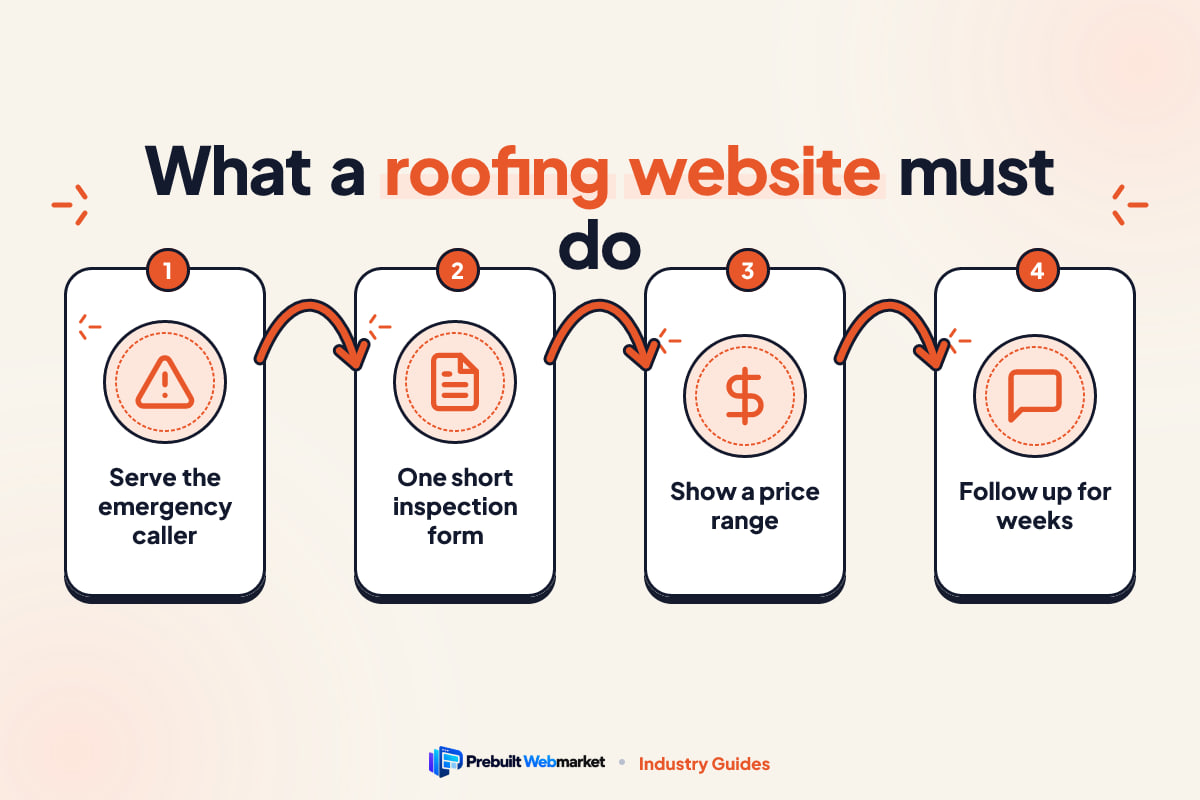
A roofing website should turn three kinds of visitor into booked inspections: the homeowner with a leak today, the storm or hail caller, and the planned replacement buyer. It needs a free inspection form that works on a phone, a page for each service and town, careful storm and claim pages, financing, a real project gallery and fast follow-up. A prebuilt roofing website costs from $97 a month and launches in about 7 days.
Key takeaways
- Design for three visitors: emergency leaks, storm and hail damage, and planned replacements. Each needs a different path to the inspection form.
- The free inspection request is the main conversion. Put it on every page, keep it short and let people attach a photo.
- Storm and insurance pages must be helpful and careful: explain the process, never promise a claim outcome and check what your state allows.
- Show sample prices or a good, better, best range plus a monthly financing figure. Silence on price sends replacement buyers elsewhere.
- Replacement jobs take weeks to decide. Automatic follow-up, missed-call text-back and review requests win more of the inspections you already get.
- A prebuilt roofing website costs $97 a month plus $297 setup, includes hosting and edits, and launches within 7 business days of receiving your content.
In this article
- What should a roofing website do?
- Roofing website design: the pages you need
- Features that turn roofing website visits into inspections
- How to write storm damage and insurance pages safely
- How fast should a roofing website load?
- Roofing website SEO: being found for every job and town
- How do homeowners find a roofer through AI search?
- Lead capture and follow-up for roofing contractors
- What does a roofing website cost?
- Mistakes that cost roofers inspections
- A launch checklist for your roofing website
- How PrebuiltWebMarket helps roofing contractors
- Your next step
- Frequently asked questions
A good roofing website does one job: it turns the people who land on it into booked inspections. That means a homeowner with water coming through the ceiling can call you in two taps, a hail or storm victim can see that you document damage and know the claim process, and a family planning a replacement can see your work, a price range and a monthly payment before they ever pick up the phone.
This guide covers everything a roofing contractor needs to know about their site in 2026: the visitors it must serve, the pages and features to build, how to write storm and insurance pages safely, speed, SEO, AI search, lead follow-up, costs and a launch checklist. It is written for owners of residential and commercial roofing companies who want more inspections, not a prettier homepage.
What should a roofing website do?
A roofing website should get the right visitors to request an inspection or call, quickly and on a phone. It must serve three very different people: someone with an active leak, someone with storm or hail damage, and someone planning a replacement. Each arrives with a different level of urgency, so each needs its own clear path to the form.
Most roofing sites fail because they treat every visitor the same. A single “Contact us for a free quote” button cannot speak to a panicked homeowner at 9pm and a careful buyer comparing three bids over a month. Here is what each one needs.
The homeowner with a leak right now
This person is stressed and on a phone. They want to know you can come soon, that you do emergency tarping or temporary repairs, and how to reach you. They will not read a long page. What wins them is a phone number as a button at the top of the screen, a line such as “Leak? We can usually tarp within 24 hours”, and a form that takes under a minute.
Be honest about response times. If you cannot come at night, say “Call or text any time, we reply first thing in the morning” rather than promising 24/7 service you do not run.
The storm and hail caller
After a hail or wind event, search volume for roofers jumps in the affected area, and so does competition, including out-of-town crews who arrive for a few weeks and leave. The storm caller wants to know whether their roof is damaged, what the insurance process looks like and whether you will still be around to honour the warranty. Your storm page, your local address and your years in the area matter more to this person than anything else.
The planned replacement buyer
This buyer has time. Their roof is old, they are selling the house, or they have patched the same leak twice. They will compare several roofers over weeks, look closely at photos, materials, warranties and financing, and read reviews. They want detail: what a replacement includes, which materials you install, what a typical job costs and how long it takes. This is where most of your revenue is, and it is the visitor most roofing websites serve worst.
Commercial and property manager enquiries
If you do flat roofs, TPO, PVC or metal retrofits for businesses, the buyer is a facilities or property manager. They want maintenance programmes, leak response times, proof of insurance and a way to request a site visit for several buildings. Give them a separate commercial page, or a separate site if commercial is most of your work. Our commercial roofing demo set in Houston shows what that looks like.
Roofing website design: the pages you need
Roofing website design starts with the page list, not the colours. Search engines rank individual pages, and homeowners search for specific jobs (“roof replacement cost”, “hail damage roof inspection”, “metal roof installer near me”). A site with one page per job and one page per town has far more chances to be found than a five-page brochure.
The table below lists the pages every website for a roofing contractor should have, what each is for and what to put on it.
| Page | What it is for | What to include |
|---|---|---|
| Home | Routes each visitor to the right path | Three clear options (leak, storm damage, replacement), phone button, inspection form, reviews, towns served |
| Roof Replacement | Wins the biggest jobs | Process step by step, materials, sample prices, timeline, warranty, financing, gallery |
| Roof Repair | Captures urgent and smaller jobs | Common repairs, emergency tarping, response times, when repair beats replacement |
| Storm Damage | Serves hail and wind callers | Signs of damage, inspection process, how claims usually work, what you can and cannot do |
| Financing | Removes the price barrier | Monthly payment examples, the lender or programme, how to apply, honest terms |
| Gallery | Proves the work is yours | Before and after photos tagged by town, material and job type |
| Service Areas | Ranks in each town | One page per town you actually serve, with local jobs and reviews |
| Contact | Makes booking easy | Short form, phone, text option, hours, office address if you have one |
Material pages earn the most specific searches
Add a page for each roofing material you install: asphalt shingles, metal, tile, slate, cedar shakes, flat roof membranes. People who search for a material are usually further along in the decision. Each page should explain who the material suits, how it looks on real homes in your area, the honest trade-offs in cost and lifespan, and the manufacturer warranty options you can offer.
Do not create pages for materials you do not install. A slate page that ends with “call us to discuss alternatives” wastes the visitor’s time and yours.
Service area pages that are not copies
Most roofing searches include a place or “near me”. A page for each town you genuinely serve helps Google connect you to that place. The test of a good town page is simple: could you copy it to another town by changing the name? If yes, it is too thin. Mention the neighbourhoods, the common roof types and ages in that area, local permit or HOA considerations, jobs you have completed there and reviews from customers in that town. Our guide to roofing website design in North Carolina shows how much town and region pages can differ within a single state.
The about page answers “will you still be here?”
Roofing has a trust problem because of storm chasers and the long warranties involved. Your about page should show who owns the company, how long you have worked in the area, your office or yard address if you have one, your crew, your licence and insurance status, and any manufacturer certifications. Real photos of your team and trucks do more than any slogan.
Features that turn roofing website visits into inspections
Pages bring visitors in. Features turn them into appointments. These five matter most for a roofing website, roughly in order.
A free inspection funnel that works on a phone
The free inspection request is the main conversion on almost every roofing site. Make it a short, step-by-step form: what is the problem (leak, storm damage, replacement quote, commercial), the address, the best phone number, and an optional photo upload. Show it at the top of every page and again after each major section.
Avoid long forms. Every extra question is a reason to leave, and you will be on the roof anyway. Ask only what you need to call back and book a time.
Sample prices and good, better, best options
Roof replacement is expensive, and homeowners are nervous about the number. You cannot quote without an inspection, but you can show sample prices for a few typical homes, or a good, better, best set of options by material and warranty. Explain what moves the price: roof size and pitch, layers to remove, decking repairs, material, ventilation and access.
Our Denver demo with sample roof prices is built around exactly this idea: instant sample prices, three options and financing on one page.
Financing shown as a monthly figure
A replacement buyer who sees only a five-figure total may delay. One who sees an example monthly payment from your financing partner can picture it fitting their budget. Show a worked example, name the programme, link to the application and state that approval and terms depend on the lender. Never imply guaranteed approval.
A project gallery tagged by town and material
A gallery is proof. Tag each project with the town, the material and the job type so a visitor can find a home like theirs. Use your own photos; drone shots of finished roofs and close-ups of flashing and ridge work show care. Stock photos of roofs you did not build undermine trust the moment a visitor notices.
Trust blocks near every call to action
Place a compact trust block beside the inspection form: years in business, licence and insurance status, manufacturer certifications you actually hold, workmanship warranty length, review rating and count. Confirm every claim before you publish it. For a heritage style built around craftsmanship, look at our Boston slate and copper roofing demo. For a bolder storm-response style, see Storm Shield Roofing in Dallas.
How to write storm damage and insurance pages safely
Storm and insurance pages bring in some of the most valuable roofing enquiries, and they carry the most risk if written carelessly. The goal is to be the calm, knowledgeable local roofer, not the crew that promises a free roof.
What a good storm page contains
A good storm damage page explains, in plain steps, what happens after a hail or wind event:
- Signs of damage to look for from the ground: missing or lifted shingles, dents on gutters and vents, granules in downspouts, water stains on ceilings.
- How your inspection works: who comes, how long it takes, that you photograph everything and share the report.
- How insurance claims usually work: the homeowner files with their insurer, an adjuster inspects, the insurer decides what is covered.
- What you do in that process: document damage, provide an estimate, meet the adjuster on site if the homeowner asks.
- What happens next if the claim is approved, partly approved or denied.
Language to use and language to avoid
Rules about what a roofing contractor may say and do on an insurance claim vary by state. Many states restrict contractors from negotiating a claim on the homeowner’s behalf, and some prohibit offering to pay or waive a deductible. Check with your state insurance department and contractor licensing body before you publish, and ask your insurer or attorney if unsure.
The table below shows the difference between helpful and risky phrasing.
| Instead of this | Write this | Why |
|---|---|---|
| “We will get your roof paid for by insurance” | “We document the damage and explain how the claim process usually works” | You cannot promise what an insurer will decide |
| “We handle your claim for you” | “We can meet your adjuster at the property if you would like” | Negotiating claims may be restricted in your state |
| “We cover your deductible” | Say nothing about deductibles beyond explaining what one is | Some states prohibit it |
| “Free roof replacement” | “Free inspection and written report” | A replacement is never free to someone |
| “Act now before it is too late” | “Most policies have time limits for claims, so check yours” | Honest urgency, no pressure |
Standing apart from storm chasers
After a big storm, homeowners get knocks on the door from crews they have never heard of. Your website is where they check whether you are different. Make your local address, years in the area, licence, reviews from past years and warranty terms easy to find on the storm page itself. A line such as “We have roofed in this county since 2009 and our warranty is honoured by us, not a call centre” (if true) answers the real question.
Keep a storm banner ready
Prepare a short banner you can switch on after a local event: “Hail in [area] on [date]? Book a free roof inspection.” Turn it off when demand settles. On a prebuilt site with monthly edits included, that is a quick change request, not a project.
How fast should a roofing website load?
A roofing website should show its main content within a couple of seconds on a mobile connection, and the phone button and inspection form should be usable immediately. Google measures this with Core Web Vitals, a set of speed and stability scores. Slow sites lose impatient visitors, and roofing visitors are often standing in a yard with one bar of signal.
Why roofing sites are often slow
Roofing sites are full of large photos: drone shots, before and after sets, crew pictures. Uploaded straight from a phone or camera, a single image can be several megabytes. Add a heavy page builder, a chat widget, a video background and three tracking scripts, and the page crawls. Our guide to website speed for local businesses explains each cause in plain English.
What a fast roofing site looks like
- Images resized to the size they display at and saved in a modern format such as WebP.
- No autoplay video backgrounds on mobile.
- Only the scripts you actually use: analytics and the form, not five marketing tools.
- Good hosting with a content delivery network, so pages load quickly wherever the visitor is.
- A design built to be light from the start, rather than slowed by plugins added over the years.
Every PrebuiltWebMarket site is guaranteed to score 95 or more for PageSpeed performance and 100 out of 100 for on-page SEO at launch, measured with Google Lighthouse.
Roofing website SEO: being found for every job and town
SEO, search engine optimisation, is the work of helping your business appear when people search. For a roofer, almost all of it is local: people search for a job plus a place. Here is the order that tends to deliver the most for the effort.
1. Complete your Google Business Profile
Your Google Business Profile is the listing in Google Maps and the map pack. Choose the most accurate primary category, fill in services and service areas, add real photos of jobs and crew, and post updates. If you work from home and do not serve customers at an address, set it up as a service-area business rather than showing your house. Keep your business name exactly as it appears on your signs and paperwork; adding keywords to the name breaks Google’s rules.
2. One page per service, material and town
This is the backbone of roofing SEO. Each page has one clear topic, a title that names the service and place (“Roof Replacement in Plano, TX”), real content and the inspection form. The more specific the page, the better it matches what people type.
3. Reviews that mention the job and the town
Ask every customer for a Google review after the job is signed off, by text, with a direct link. Reviews that mention the work and the town (“replaced our hail-damaged roof in Frisco”) help both your rankings and the next visitor’s decision. Reply to every review. Never buy reviews or write them yourself.
4. Schema markup
Schema is code that labels your business details, services, reviews and FAQs so search engines and AI tools can read them reliably. For roofers, the important types are LocalBusiness (or the more specific RoofingContractor), Service, FAQ and Article on blog posts.
5. Content that follows the roofing calendar
Homeowners’ questions change through the year. A blog that answers them at the right time earns visits and builds trust. The exact calendar depends on your climate, but a typical plan in a four-season area looks like this.
| Season | What homeowners search for | Article to publish |
|---|---|---|
| Early spring | Winter damage, leaks after thaw | “How to spot winter roof damage from the ground” |
| Spring to early summer | Hail and wind storms | “What hail damage looks like and what to do next” |
| Summer | Planned replacements, heat | “Roof replacement: what happens on each day of the job” |
| Autumn | Getting ready for winter | “A pre-winter roof and gutter checklist” |
| Winter | Ice dams, emergency leaks | “Ice dams: why they form and how to prevent them” |
| Any time | Cost and decision questions | “Repair or replace? How to decide” and “How roof financing works” |
In hurricane or tropical storm regions, publish storm preparation content before the season starts rather than during it.
If you do not have time to write, our SEO, AEO and GEO blog package publishes two articles a week on your own site, sets up Google Search Console and Bing Webmaster Tools, and optimises your Google Business Profile.
How do homeowners find a roofer through AI search?
More homeowners now ask ChatGPT, Gemini, Perplexity or Google’s AI Overviews questions like “who is a reliable roofer for hail damage in Plano?” or “should I repair or replace a 20-year-old roof?”. These tools pull answers from websites they can understand and trust. Clear, specific, consistent pages give your roofing company a better chance of being included.
Two terms describe this work. AEO, answer engine optimisation, means structuring content so a question can be answered directly from your page. GEO, generative engine optimisation, means making your business easy for AI models to understand, trust and cite. Our plain-English explainer on AEO and GEO goes into more depth.
Write sentences an assistant can quote
“We replace asphalt shingle and standing seam metal roofs in Collin and Denton counties, with most homes completed in one to three days” is easy for an AI tool to quote and match to a question. “We are your trusted roofing partner for all your needs” says nothing. Put the what, where, how long and how much in plain sentences near the top of each page.
Answer the questions homeowners really ask
Use real questions as headings and answer them in the first two sentences underneath. Good examples for roofers:
- How long does a roof replacement take?
- Can you put a new roof over the old one?
- What does a roof inspection include?
- Does homeowners insurance cover hail damage?
- How do I know if I need a repair or a full replacement?
Take the questions from your own phone calls. If three customers asked it this month, it belongs on your site.
Stay consistent everywhere
AI tools cross-check what they find. Use the same business name, address, phone number, hours and service list on your website, Google Business Profile, Facebook, Yelp, the Better Business Bureau and manufacturer directories. Mismatched details make you look like two different businesses, or an unreliable one.
No one can promise that an AI assistant will recommend a particular roofer. What you can do is remove every reason for it to skip you.
Lead capture and follow-up for roofing contractors
A roofing lead is valuable and perishable. A homeowner who requests an inspection often contacts more than one company, and the roofer who replies first with a clear time slot has the advantage. Replacement buyers then take weeks to decide, so the follow-up after the inspection matters as much as the first reply.
Speed to first reply
Aim to reply within minutes during business hours. An automatic text and email confirming the request stops the visitor shopping around while you get to a phone. A missed-call text-back sends an instant message to anyone who reaches your voicemail, which matters on days when you are on a roof or the office line is flooded after a storm. Our article on why roofing websites get no leads shows how often slow replies, not the site itself, are the real leak.
A follow-up sequence for estimates
The table below is a simple sequence from first enquiry to signed job and review. Adjust timings to how your company works.
| When | What happens | Why it matters |
|---|---|---|
| Within 1 minute | Automatic text and email confirming the request | The homeowner knows you received it |
| Within 15 minutes, business hours | A person calls or texts to book the inspection | Booking a time is the real conversion |
| Day before inspection | Reminder with the inspector’s name and photo | Fewer no-shows, more trust |
| Same day as inspection | Estimate and photo report sent | Momentum while the roof is on their mind |
| Days 3, 7 and 14 | Short check-ins: questions, financing, material samples | Replacement decisions take time |
| After completion | Thank you, warranty details and a review request | Reviews feed the next customer |
Only text people who have agreed to receive messages, and follow the rules for business texting in your country.
Why closing more inspections matters, in numbers
The chart below is a worked example, not a benchmark. It assumes 20 inspections a month and an average job of $10,000, and shows the monthly revenue at different close rates. Replace both numbers with your own.
- $40,00020% close (4 jobs)
- $50,00025% close (5 jobs)
- $60,00030% close (6 jobs)
- $70,00035% close (7 jobs)
Example only. Your job values and close rates will differ.
Source: Illustrative example: 20 inspections a month multiplied by each close rate and an assumed $10,000 average job
In this example, closing one extra job out of every 20 inspections is worth $10,000 a month. Better follow-up does not need more traffic; it gets more from the inspections you already book.
A CRM so nothing depends on memory
A CRM, customer relationship management system, records every lead, sends the automatic messages, shows each job’s stage (new, inspected, estimate sent, signed, completed) and reminds your team who to call. Our GoHighLevel CRM package sets all of this up and connects it to your site’s forms.
What does a roofing website cost?
A roofing website can cost anything from a small monthly builder fee plus your own time, to several thousand dollars up front from an agency plus a retainer. A prebuilt roofing website from PrebuiltWebMarket costs $97 a month plus a $297 setup fee and includes hosting, SSL, daily backups and 3 content edits a month.
The table compares the realistic options fairly. Each is right for some roofing companies. For a fuller breakdown, see our comparison of website options.
| Option | Time to go live | Upfront cost | Who maintains it | Best for |
|---|---|---|---|---|
| DIY builder | Weeks of your own time | Low | You | New roofers with more time than budget |
| WordPress with a theme | Weeks to months | Low to medium | You or a developer | Owners comfortable with updates and plugins |
| Freelancer | Usually 2 to 8 weeks | Medium to high | Freelancer, often by the hour | Owners with a clear brief and time to manage it |
| Agency | Often 1 to 3 months | High | Agency on a retainer | Larger firms wanting a fully custom brand |
| Prebuilt roofing website | About 7 days | $297 setup | We do, edits included | Roofers who want a proven site live quickly |
When each option makes sense
A DIY builder makes sense if you are just starting, have evenings free and are happy with a simpler site. WordPress suits owners who like control and are willing to keep plugins updated. A freelancer is a good fit when you have a clear plan and someone reliable. An agency makes sense for a large company that needs a unique brand, many locations and a marketing team to work with. A prebuilt site suits roofers who want a proven layout, fast launch and someone else to handle hosting and changes.
The Prebuilt vs custom renovation website comparison walks through the same decision for a closely related trade, including when custom is the better call.
What our plans cost in the first year
The chart shows first-year cost for each PrebuiltWebMarket plan on monthly billing, including the one-time setup fee.
- Launch ($97 x 12 + $297 setup)$1,461
- Growth ($297 x 12 + $297 setup)$3,861
- Scale ($497 x 12 + $297 setup)$6,261
Yearly billing costs $970, $2,970 or $4,970 a year, plus the same $297 setup.
Source: PrebuiltWebMarket pricing, 2026
Launch is the website itself. Growth adds the blog with 8 articles a month and search tool setup. Scale adds the GoHighLevel CRM and follow-up automations. Every plan is month-to-month, and the full list of inclusions is on our plans and pricing page. Using the worked example above, a single replacement job at $10,000 would cover several years of the Launch plan.
Mistakes that cost roofers inspections
These come up again and again on roofing sites. Each one is fixable.
- One “Services” page for everything. Replacement, repair, storm, gutters and commercial all on one page rank for none of them.
- No price information at all. Replacement buyers assume the worst and book the roofer who showed a range.
- Promises about insurance. “We get your roof paid for” can mislead homeowners and may break state rules.
- Stock photos. Visitors notice. Use your own jobs, crew and trucks.
- A long contact form. Twelve fields on a phone means most people give up.
- Forms nobody checks. Test your form monthly. A broken form looks fine until you notice the quiet.
- Town pages with only the name changed. Thin copies do not rank and can make the whole site look low quality.
- No follow-up after the estimate. Many signed jobs come from the second or third check-in, not the first visit.
A five-minute self-check
Open your site on your phone, on mobile data. Can you call with one tap? Can you request an inspection in under a minute? Is there a page for roof replacement, one for storm damage and one for your main town? Is there a real project photo and a recent review visible without much scrolling? If two or more answers are no, the site is costing you work.
A launch checklist for your roofing website
Whether you build it yourself or have it built, check every item below before launch. The second column explains why each one matters.
| Item | Why it matters |
|---|---|
| Phone number is a tap-to-call button on every page | Leak callers will not copy and paste a number |
| Short inspection form on every page, with photo upload | The main conversion, made easy |
| Pages for replacement, repair, storm damage, financing and gallery | Each ranks for its own searches |
| A page for each material you install | Matches specific, high-intent searches |
| A page for each town you genuinely serve | Local rankings and local trust |
| Licence, insurance and warranty details confirmed and shown | Answers the storm chaser question |
| Storm and claim language checked against state rules | Avoids misleading homeowners and compliance trouble |
| Images compressed, site tested on a phone | Speed on real mobile connections |
| Google Business Profile complete and consistent | Map pack visibility |
| LocalBusiness and FAQ schema added | Helps search engines and AI tools read the site |
| Analytics and form tracking set up | You can see what brings inspections |
| Automatic reply and missed-call text-back working | Fast first contact |
The first 90 days after launch
In the first month, collect reviews from recent jobs, finish your Google Business Profile and add pages for your next two or three towns. In the second month, publish answers to the five questions you hear most on the phone and add gallery projects tagged by town. In the third month, look at which pages bring inspections, improve the weakest ones and prepare your storm page before your area’s storm season.
How PrebuiltWebMarket helps roofing contractors
We build roofing websites from designs that already exist and already work, so you can see exactly what you will get before you pay. You can browse every industry in our prebuilt website library, and there are four live roofing website demos:
- Storm Shield Roofing, Dallas, TX: a bold storm-response design built around hail inspections and insurance claim help.
- Slate and Copper Roofing Co., Boston, MA: a heritage craft style for slate, copper and historic roofing.
- Summit Peak Roofing, Denver, CO: clear pricing with instant sample roof prices, good, better, best options and financing.
- Ironclad Commercial Roofing, Houston, TX: an industrial style for TPO, PVC, metal retrofits and 24/7 leak response.
Each demo includes the pages roofers need: Home, Roof Replacement, Roof Repair, Storm Damage, Financing, Gallery, Service Areas and Contact, with a free inspection lead funnel built in.
Here is what happens when you choose one:
- You pick a design and book a free call.
- We customise it with your logo, colours, services, materials, photos, towns and financing details.
- We launch it within 7 business days of receiving your content, on your own domain, or your first month is free.
- We look after it. Hosting, SSL, daily backups and your monthly edits are included.
Every site is guaranteed to score 100 out of 100 for on-page SEO and 95 or more for PageSpeed performance at launch. If you are not happy within 30 days, we refund your first month. Plans are month-to-month, and you keep your domain, your content and your leads. We work with roofers across the United States and Australia; you can see the areas we cover on our locations page, including websites for Texas businesses, where two of the roofing demos are set.
If you run more than one kind of outdoor trade, our tree service website guide covers the same storm-call problems from the tree side.
Your next step
If your current site has one page for every service, hides its prices, makes insurance promises or takes more than a few seconds to load on a phone, it is losing inspections to roofers who are easier to trust and book.
Open the four live roofing demos and find the one closest to how you want your company to be seen. Then book a free 45-minute call and we will tell you honestly whether a prebuilt site fits your business and which plan makes sense. If you would rather write, use our contact form.
Frequently asked questions
What pages does a roofing website need?
At minimum: Home, Roof Replacement, Roof Repair, Storm Damage, Financing, Gallery, Service Areas and Contact. Add a page for each roofing material you install, a commercial roofing page if you do that work, and one page for each town you genuinely serve. Every page should carry the same short free inspection form and a tap-to-call button.
How much does a roofing website cost?
It depends on the route. A do-it-yourself builder has a low monthly fee but takes your own time. Freelancers and agencies usually charge more up front, often with a monthly retainer for changes. A prebuilt roofing website from PrebuiltWebMarket costs $97 a month plus a $297 one-time setup fee, which includes hosting, SSL, daily backups and 3 content edits a month.
Should a roofer put prices on their website?
Usually yes, in the form of sample prices or ranges. Every roof is different, so you cannot quote exactly, but you can show what a typical replacement costs for a few common home sizes and materials, explain what moves the price, and give a monthly financing figure. Visitors who see a range are more likely to book an inspection than visitors who see nothing.
Can my roofing website say we handle insurance claims?
Be careful. You can explain how the claim process usually works, document damage and meet the adjuster at the property. Many states limit a contractor acting on the homeowner's behalf in negotiating a claim, and some prohibit offering to cover or waive a deductible. Check with your state insurance department and licensing body before publishing claim language.
How do I get my roofing company recommended by ChatGPT or Google AI Overviews?
Make your site easy to understand and quote. State plainly what you do, which materials you install, where you work and what a typical job costs. Answer common questions directly, add LocalBusiness and FAQ schema, keep your name, address and phone identical everywhere, and collect genuine reviews that mention the job and town. Nobody can guarantee an AI recommendation.
How long does it take to build a roofing website?
A custom build often takes one to three months. A prebuilt roofing website already exists and is customised with your logo, services, photos, towns and financing details, so it can go live in about a week. PrebuiltWebMarket guarantees launch within 7 business days of receiving your content, or your first month is free.
Do roofers need a blog?
A blog is not required to get enquiries, but it is the easiest way to answer the questions homeowners ask before they call: repair or replace, what hail damage looks like, how financing works, which material suits their home. Those answers earn search visits and give AI assistants something to quote. Two useful articles a month beat ten thin ones.
What is the most important feature on a roofing website?
A short free inspection request that works on a phone and is visible from every page, paired with a tap-to-call button. Let visitors choose the reason (leak, storm damage, replacement quote), add their address and attach a photo. Then reply within minutes, because many homeowners contact more than one roofer.
Is a prebuilt roofing website bad for SEO?
No. Search engines rank pages on content, speed, structure and relevance, not on whether the design was used before. What matters is that your service pages, town pages, photos and reviews are your own. Every PrebuiltWebMarket site is guaranteed to score 100 for on-page SEO and 95 or more for PageSpeed performance at launch.