
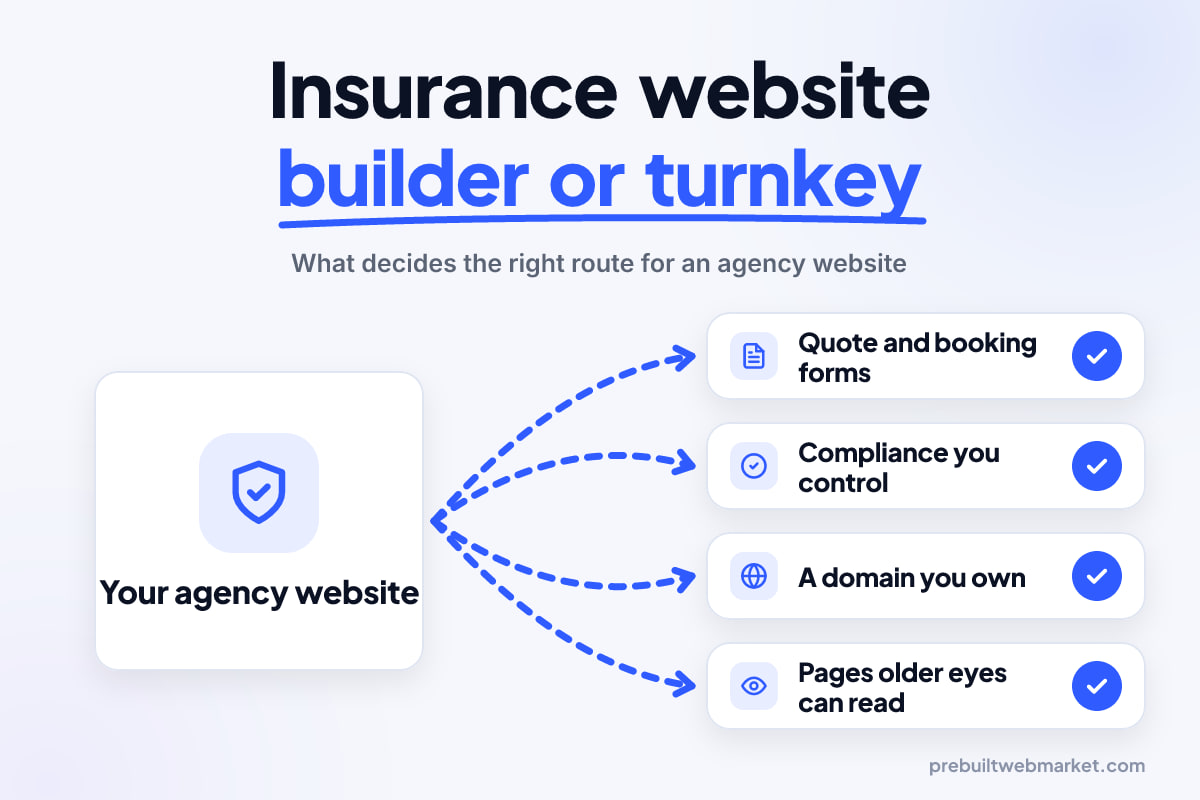
Quick answer
An insurance website builder suits a new or single-line agent with spare evenings. A turnkey insurance or Medicare website platform suits agents who want speed and accept shared templates and vendor lock-in. A prebuilt site customised and managed for you suits agencies that want their own domain, quote forms, compliance edits on request and no build work. In every case, compliance review stays your job.
Key takeaways
- An insurance website builder is cheapest in cash and most expensive in your hours, and the compliance work is entirely yours.
- Turnkey insurance and Medicare website platforms launch fast, but many agents share the same template, and leaving can mean losing the site and sometimes the domain.
- No platform makes your agency compliant. Disclaimers, carrier logos and licence details still need your review and your carriers' sign-off.
- Own the domain in your own registrar account before you pick anything else. It is the one asset that carries your search history from site to site.
- Medicare agents should weight accessibility heavily: large type, high contrast and big tap targets decide whether older visitors book.
- If you switch later, permanent redirects from every old page to its new address protect most of what you have built.
In this article
- The decision every agency makes once, then lives with
- Option one: a general insurance website builder
- Option two: turnkey insurance and Medicare website platforms
- Option three: a prebuilt insurance website, customised and managed
- Option four: when a custom build is worth it
- Compliance stays with you on every route
- Who owns the domain, the pages and the leads
- Older visitors, phones and accessibility
- The quote form and the appointment booking
- The hours each route really costs
- Our recommendation by agency type
- How to change your mind later
- Frequently asked questions
An insurance website builder is the right choice when you have more evenings than budget and sell simple lines; a turnkey insurance or Medicare platform is right when you need something live this week and can live with a shared template; and a prebuilt site customised and managed for you is right when you want your own domain, real quote forms and someone else doing the build. The deciding questions are not about design. They are about compliance, ownership and your hours.
Insurance agents face a version of this choice that roofers and cleaners do not. Your pages carry carrier names, licence details and, if you sell Medicare, a disclaimer whose wording is set by federal rule. Your visitors include people turning 65 who read slowly and carefully on a phone. And many vendors who sell agent websites also sell leads, CRM seats or carrier-linked tools, so the site often comes bundled with something else. This guide compares the routes honestly, then gives a recommendation for each kind of agency.
The decision every agency makes once, then lives with
The way you get your insurance website matters more than the template you pick, because it decides who controls your pages, your compliance edits and your domain for years. Most agents choose in an afternoon, based on a demo or a price, and only discover the trade-offs when a carrier asks for a change or they want to leave.
There are three common routes, plus a fourth for larger agencies:
- A general DIY website builder. You pick a theme and build every page yourself.
- An insurance-specific turnkey platform. A vendor gives you a ready-made agent site, often with pre-written line pages, quote forms and, for Medicare, built-in disclaimer text.
- A prebuilt website customised and managed for you. A finished design for insurance agencies, adapted to your brand, lines and carriers, then hosted and edited by the provider.
- A custom build by a freelancer or agency, designed from scratch.
Our general comparison of website builders and prebuilt websites covers the basics for any local business. This article stays on what is different for an insurance or Medicare agency.
What changes when you sell insurance
Three things raise the stakes. First, what you publish is advertising for a regulated product, so state insurance departments and your carriers care about the wording. Second, an agency site does real service work: certificate requests, claims contacts and renewal reviews, not just new quotes. Third, the audience ranges from a 24-year-old buying renters cover to a 64-year-old comparing Medicare options for the first time, often in one week.
Option one: a general insurance website builder
A general website builder gives you a drag-and-drop editor, hosting and a theme library for a modest monthly fee, and leaves every insurance-specific decision to you. Some builders market insurance themes, but the theme is only the look. The line pages, the quote form logic, the disclaimer placement and the carrier strip are yours to write and maintain.
Who a builder genuinely suits
A builder suits a newly licensed agent with one or two lines, little budget and real interest in doing it themselves. It also suits an agent who mainly needs a credible page to send referrals to while most business comes from a book they bought or inherited. If you enjoy writing and have a few free evenings each month, a builder can produce a perfectly decent site.
What it costs you in hours
The cash cost is low. The hidden cost is the work an agency site needs that a theme does not include:
- Writing separate pages for auto, home, renters, life, commercial and, if you sell it, Medicare, without copying carrier brochures.
- Building a quote form that asks for the right details per line without becoming a 40-field monster.
- Placing disclaimers and licence details on every page where they apply, and updating them when rules or appointments change.
- Keeping the site fast once you add chat widgets, carrier quoting embeds and tracking scripts, each of which adds weight.
Option two: turnkey insurance and Medicare website platforms
A turnkey insurance website is a ready-made agent site sold as a subscription, usually with industry content already written, so you can launch within days by adding your name, photo, licence details and carriers. Turnkey Medicare websites are the same idea with Medicare-specific pages: plan type explainers, enrollment period content, appointment booking and a standard disclaimer block.
Where turnkey platforms are strong
Speed and starting content are the real advantages, because most insurance website design decisions have already been made for you. A newly contracted Medicare agent heading into a busy enrollment season can have a working site with plan explainers and a booking form far sooner than they could write one. Some platforms connect to quoting engines, so visitors can see plan options directly. For an agent who wants to start selling, not start writing, that has genuine value.
Where they are weak
The trade-offs tend to show up later:
- Shared content. Many agents use the same pre-written pages. Search engines see near-identical text on many domains, and visitors see nothing about your town, your office or your way of working.
- Limited control. You can often change your photo and phone number but not the structure, the form fields or the page order.
- Bundling. The site may be priced alongside leads, CRM seats or enrollment tools, which makes the true cost of the website hard to see and harder to cancel separately.
- Exit terms. Some platforms keep the site design, the content and sometimes the domain when you leave.
Questions to ask any turnkey vendor before you sign
- Is the domain registered in my name, in an account I can log in to?
- If I cancel, what do I keep: the domain, the page text, the form submissions, the contact list?
- Can I change form fields and page structure, or only text and images?
- Who updates the Medicare disclaimer when the rule wording changes, and how fast?
- Can I add pages about my own town, office and team, or am I limited to the vendor’s content?
- What does the website cost on its own, without leads or other add-ons?
Option three: a prebuilt insurance website, customised and managed
A prebuilt insurance website is a finished, tested design built for agencies that a provider customises with your brand, lines, carriers and service area, then hosts and edits for you on your own domain. It sits between the two routes above: faster than a builder because the structure already exists, more yours than a turnkey platform because the design is adapted to your agency rather than shared as-is.
How it differs from turnkey in practice
The difference shows up in the details agents care about. Your auto page can describe the commutes and drivers you actually see. Your quote form can ask for an X-date (the date the current policy renews) because you follow up before renewals. Your claims page can list the carriers you are appointed with, not a generic set. And when a carrier’s compliance team asks for a wording change, you send the edit and it is made, rather than waiting for the vendor’s next template release.
Our own insurance designs show what this looks like. Clearpath Insurance, a demo set in Kansas City, leads with coverage explained in plain dollars, while the other insurance website demos cover a bilingual agency, a heritage New England agency and a multi-carrier corporate style. For Medicare agents, Evergreen Medicare Advisors, set in Sarasota, uses a warm, accessible layout with large type.
What it costs
On our Launch plan, a prebuilt insurance website costs $97 a month plus a one-time $297 setup fee, with hosting, SSL, daily backups, lead forms to email and SMS, and 3 content edits a month included. It launches within 7 business days of receiving your content, scores 100/100 on-page SEO and 95+ PageSpeed performance at launch, and is month-to-month with a 30-day money-back guarantee on the first month. The full breakdown is on our plans and pricing page.
Option four: when a custom build is worth it
A custom build is worth paying for when your agency has needs no template covers, such as a client portal tied to your agency management system, several brands under one roof, or a large commercial practice with specialist pages for many industries. It is also reasonable when a brand identity is central to how you sell, for example an agency that has built its name around one niche and wants a distinctive site.
The costs are time and money. A custom site commonly takes one to three months, and the agency or freelancer usually charges separately for later changes. Our comparison of prebuilt versus custom websites walks through that trade-off in more detail. For most single-office personal lines and Medicare agencies, custom is more than the job needs.
Compliance stays with you on every route
No insurance website builder, turnkey platform or provider makes your agency compliant; the responsibility for what your site says stays with you and your carriers. Vendors can give you a sensible starting point, but only you know which carriers you are appointed with, which states you are licensed in and which plans you can sell.
The Medicare disclaimer
If you sell Medicare Advantage or Part D plans for more than one organization, check the federal rule first. The CMS rule at 42 CFR 422.2267 on the eCFR sets out a standardized disclaimer for third-party marketing organizations, and requires it to be prominently displayed on their websites as well as conveyed in calls and electronic messages. The required wording has changed between contract years, so copy it from the current regulation and your carriers’ guidance, not from a vendor template or another agent’s site.
Turnkey Medicare websites often ship with a disclaimer already placed. That is helpful, but ask when it was last updated and who changes it. On a builder, you place it yourself. On a managed prebuilt site, you send the current wording and it goes in, but the wording itself must still come from you and your carriers.
Carrier logos and state advertising rules
Carrier logos are trademarks, and showing one implies an appointment. Confirm with each carrier that you may use its logo and how. State insurance departments regulate insurance advertising, so check your state’s rules on licence numbers, savings claims and testimonials before you publish them. A good test for any page: could a carrier compliance reviewer read it and approve it without edits? If not, fix it before launch, whichever route you chose.
Who owns the domain, the pages and the leads
Ownership is the question that matters most when you leave, and it is easiest to get right before you start. Your domain name carries your search history, the links other sites have made to you and the address on your business cards. If someone else controls it, they control your ability to move.
The domain
Register the domain yourself, in your own name, at a registrar where you hold the login, then point it at whichever website you choose. ICANN’s FAQs for registrants on transferring a domain explain that transfers run through your registrar using an authorization code, and that changing the registrant’s details can trigger a temporary lock on moving it. Both are reasons to have the domain in your own account from day one rather than sorting it out when you are trying to leave.
The pages and the form submissions
Ask what happens to your page text, photos and form submissions when you cancel. Pages you wrote about your agency, your town and your team are worth keeping. Form submissions are your prospects. On our plans you own your domain, your content and your leads; if you also use our CRM, contacts stay yours too. Whatever provider you choose, get the answer in writing.
Older visitors, phones and accessibility
Accessibility should weigh more in an insurance agency’s decision than in most trades, because a large share of Medicare and life insurance visitors are older and many read on phones. A site that looks smart on your desktop can be hard work for someone with reading glasses on a small screen.
What to check on any route
The W3C’s guidance on target size in WCAG 2.2 sets a minimum of 24 by 24 CSS pixels for things people tap or click, with exceptions such as links inside sentences, and a stricter enhanced level of 44 by 44. That is a floor, not a goal: for a “Call us” or “Book a review” button aimed at older visitors, go well beyond it. Also check:
- Body text large enough to read without zooming, in dark text on a light background.
- A phone number that dials when tapped, visible at the top of every page.
- Plain menu labels such as “Medicare plans” and “Book a meeting”, not clever names.
- No chat pop-up that covers the page before the visitor has read anything.
- Plan explainers as web pages, not PDFs that need pinching and scrolling.
How each route handles it
On a builder, accessibility depends on the theme and on you, and themes vary widely. On a turnkey platform, you inherit the vendor’s choices and usually cannot change type size or button design. On a managed prebuilt site, the design is set up for it from the start; our builds are mobile-first and ADA-friendly, and the Medicare designs use large type by default.
The quote form and the appointment booking
The quote form and the booking calendar are where an insurance website earns its keep, and the routes differ most here. A builder gives you a generic form tool. A turnkey platform gives you its form, often fixed. A managed prebuilt site gives you a form designed for agencies that can be adapted to your lines.
What a good agency form does
A good form asks only what you need for the first conversation: the lines the visitor wants, a name, a phone or email, a ZIP code and, for personal lines, the current renewal date. Driver details, vehicle identification numbers and property specifics are often better collected on the call, where you can explain why you need them. Long forms on a phone lose people.
For Medicare, the booking path matters more than the form. Visitors want to choose phone, video or an in-person meeting, pick a time and know what to have ready. Check whether any route you are considering supports that without forcing an account sign-up.
Where the enquiry goes next
A form that emails one inbox works until that inbox is unattended for a weekend before renewal season. If follow-up speed is a problem in your agency, a CRM that replies instantly and reminds you to call back matters as much as the site. Our GoHighLevel CRM package handles that on the Scale plan, but plenty of agencies do well with a disciplined inbox and a shared calendar.
The hours each route really costs
Your own hours are usually the largest cost of an agency website, and the routes differ more in time than in money. Here is an illustrative example for a two-person personal lines agency that also sells Medicare. The figures are made up to show the method; replace them with your own estimates.
Suppose a builder site takes 30 hours to set up (writing seven line pages, the form, the Medicare section and testing) and 3 hours a month to maintain (updates, plugin or widget fixes, compliance edits). In the first year that is 30 + (3 × 12) = 66 hours. A turnkey platform might take 6 hours to set up and 1 hour a month, so 18 hours, but with limited control. A managed prebuilt site might take 5 hours of your time to gather content and review drafts, and 1 hour a month to send edits, so 17 hours.
If you value your time at what an hour of selling or servicing is worth to your agency, those 66 hours are the real price of the cheap option. For an agent with spare evenings, that may be fine. For an agent who could spend those hours on renewal reviews, it rarely is. Our guide to how long a business website takes to build breaks down where the time goes on each route.
Our recommendation by agency type
The right route depends on your lines, your stage and how much control you need. These recommendations assume you have checked compliance with your carriers on whichever route you choose.
New captive agent
Start with the carrier-provided agent page if you have one, and add a simple site on your own domain when you have the time, using a builder or a prebuilt design. You can only show your carrier’s products, so the site’s job is to show you as the local person to call. Do not pay for a large platform before you have a book.
Independent personal lines agency
Choose a managed prebuilt site or a builder you are committed to maintaining. You need line pages, a multi-line quote form and a carrier strip you have permission to show. A turnkey platform’s shared content does little to tell visitors why your agency is the one to call.
Medicare-focused agent
A turnkey Medicare website is reasonable if you need to be live before enrollment season and accept the template. Over the longer term, a managed site on your own domain gives you control over accessibility, booking options and local pages. Either way, own the domain and keep the disclaimer current yourself.
Agency selling both P&C and Medicare
Use one site with a clearly separated Medicare section, so each audience finds its path from the home page. This is where a builder gets heavy and a turnkey platform often cannot help, because most cover one side or the other. A prebuilt design with both sections, or a custom build for a larger agency, fits best. You can browse the Medicare website designs to see how the plan pages and booking are laid out.
Larger commercial agency
Consider a custom build if you need specialist industry pages, portals or several brands. If your needs are standard, a prebuilt design with your own commercial pages added costs far less. Our comparison of website options lays out builders, WordPress, freelancers, agencies and prebuilt side by side.
How to change your mind later
You can switch routes later without starting from zero, if you plan the move. The two things that protect you are owning the domain and redirecting every old page address to its new one.
Keep the search history you have built
Google’s guidance on site moves and migrations recommends mapping every old URL to its new URL and keeping redirects in place for as long as possible, generally at least a year. Its documentation on redirects and Google Search recommends permanent server-side redirects such as 301s where you can, pointing straight at the final page rather than through a chain. Expect some movement in search while Google processes the change.
A switching checklist
- Confirm you control the domain and can log in to the registrar.
- Export every page’s text, your photos and all form submissions from the old platform.
- List every old page address and decide where each one goes on the new site.
- Have the new site reviewed by your carriers before the switch, not after.
- Set up the redirects, then point the domain at the new site.
- Test the quote form, the booking calendar and the phone link on a phone.
- Update your Google Business Profile, email signatures and carrier agent locator listings.
The cost of staying put
Staying on a route that no longer fits has a cost too: compliance edits that take weeks, a form you cannot change before renewal season, or a template that looks like every other agent’s. If any of those is happening now, it is worth working out the switch before your busiest months rather than during them. When you are ready to talk it through, book a free 45-minute call and we will tell you honestly whether a prebuilt insurance website fits your agency or whether another route makes more sense.
Sources
Frequently asked questions
What is the best insurance website builder for a small agency?
There is no single best one. A general builder suits an agent who enjoys doing it and has evenings free. An insurance-specific turnkey platform suits someone who wants a site this week and accepts a shared template. A prebuilt site that is customised and managed for you suits agencies that want their own design, quote forms and edits handled. Choose by your hours, your lines and whether you need Medicare compliance features.
Are turnkey Medicare websites compliant with CMS rules?
A vendor can include a standard disclaimer and templates written with the rules in mind, but compliance depends on what you publish, which plans you sell and how your carriers review your materials. The CMS rule at 42 CFR 422.2267 requires third-party marketing organizations covered by it to display a standardized disclaimer prominently on their websites. Check the current wording yourself and confirm every page with your carriers and their compliance teams.
Can I keep my domain if I leave a turnkey insurance website platform?
Only if the domain is registered in your name, in an account you control. Some platforms register it for you inside their own account, which makes leaving slow or impossible. Before you sign, ask who the registrant is and how you get the transfer code. If you already have a domain, keep it at your own registrar and point it at the platform instead.
How much does an insurance agency website cost?
It depends on the route. A general builder has a low monthly fee but costs your time. Turnkey insurance platforms usually charge a monthly subscription, sometimes with a setup fee. A custom agency build costs more up front. A prebuilt insurance website from PrebuiltWebMarket costs from $97 a month plus a $297 setup fee, with hosting, SSL and 3 content edits a month included.
Do I need separate websites for insurance and Medicare?
Usually not. One agency website with a clearly separated Medicare section works for most agencies that sell both, as long as the Medicare pages carry the disclaimer your situation requires and use language older visitors find easy. A separate Medicare site can make sense if you run that business under a different name or brand, or if a carrier asks for it.
Should I use the carrier-provided agent website instead?
A carrier-provided agent page is fine as a starting point, especially for captive agents, but it is the carrier's page, not yours. It usually cannot show other carriers or your own content, and it disappears if your appointment ends. Many agents keep it and also run their own website on their own domain, linking to the carrier page where it helps.
How long does it take to launch an insurance website?
A turnkey platform can be live within days if you accept the template. A builder takes as long as your evenings allow, often several weeks. A custom build commonly takes one to three months. A prebuilt insurance website from PrebuiltWebMarket launches within 7 business days of receiving your content, and compliance review by your carriers can add time on top of any route.