
Quick answer
A good small business website in California has to stand out in some of the most crowded local markets in the country. It should load fast on a phone, say exactly what you do and which region you serve, meet accessibility and privacy basics, show licence details, and reach customers in the languages they use. A prebuilt website costs from $97 a month plus $297 setup and launches in about 7 days.
Key takeaways
- California is at least five markets: Los Angeles and Southern California, San Diego, the Bay Area, Sacramento and the Central Valley. Each needs its own pages and message.
- Competition is intense and paid clicks are expensive, so a website that turns more visitors into enquiries is worth more than one that only looks good.
- Treat accessibility, privacy notices, licence numbers and texting consent as part of the build, and confirm the rules that apply to you with the right state body or a lawyer.
- Many Californians prefer a language other than English. A properly written page in Spanish, Chinese, Vietnamese, Korean or Tagalog only helps if someone can reply in it.
- Reply to every enquiry within minutes; California customers usually contact several businesses at once.
- A prebuilt website costs from $97 a month plus $297 setup and launches within 7 business days of receiving your content.
In this article
- Why is website design in California harder than in most states?
- The California compliance basics for your website
- What customers expect in Los Angeles, San Diego, the Bay Area and beyond
- The pages every California small business website needs
- Local SEO for Los Angeles, San Diego, San Francisco and Sacramento
- How do California customers find businesses through AI assistants?
- Following up when every customer asks three businesses
- How much does website design in California cost?
- Mistakes California small business websites make
- How to launch your California website in a week
- How PrebuiltWebMarket helps California small businesses
- Your next step
- Frequently asked questions
Good small business website design in California is about standing out in a crowded room. The website has to load fast on a phone, say in one sentence what you do and which part of the state you serve, prove you are licensed and trusted, and reach customers in the language they prefer. It also has to handle things owners elsewhere think about less: accessibility, privacy notices and the cost of every visitor in markets where clicks are expensive.
This guide is for owners of local service businesses in Los Angeles, San Diego, San Francisco, San Jose, Sacramento and the towns between them. It covers the regional differences, the compliance basics, the pages you need, local SEO and AI search, follow-up, honest costs and a plan to launch in a week.
Why is website design in California harder than in most states?
Website design in California is harder because the competition is deeper. In most categories, a customer in Los Angeles or the Bay Area can choose between dozens of businesses within a short drive, advertising costs are high, and many customers compare three or four websites before calling. A site that is slow, vague or hard to use on a phone loses to one that is not.
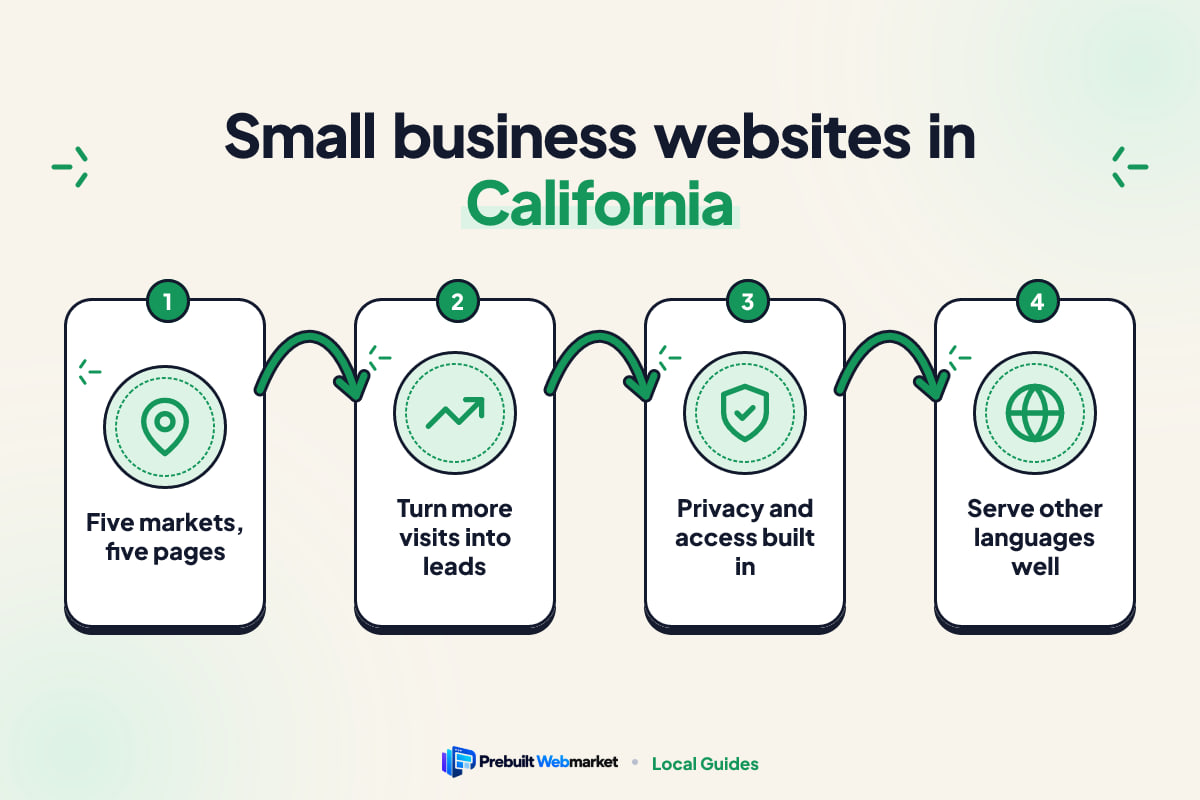
Four things make the difference in California.
At least five markets, not one
California is not one market. Southern California, from Los Angeles and Orange County out to the Inland Empire, is a vast area where traffic means customers prefer businesses close to them. San Diego is its own market, shaped by the coast, tourism, the military and the border. The Bay Area, from San Francisco to San Jose, has some of the highest household incomes and highest business costs in the country. Sacramento combines state government, steady suburbs and a lower cost base. The Central Valley, from Stockton through Fresno to Bakersfield, runs on agriculture and has very different customers and prices again.
A business in Fresno and a business in San Francisco offering the same service are not competing for the same customer, and their websites should not read the same.
Competition makes clarity the advantage
When there are forty dentists, movers or detailers in a radius, being slightly better at design does not win. Being clearer does. The website that says “Same-week crowns in Pasadena, most PPO plans accepted, Saturday hours” beats the one that says “Quality dental care for the whole family”, because it answers the visitor’s questions before they leave.
Customers speak many languages
California is home to customers who speak a very wide range of languages. Spanish is widely spoken across the state, and large communities speak Chinese (Cantonese and Mandarin), Vietnamese, Tagalog, Korean, Armenian, Farsi and many other languages. In parts of Los Angeles, the San Gabriel Valley, San Jose and Orange County, a business that can serve customers in their first language has a real edge.
Costs are high, so every visitor matters
Rent, wages and advertising all cost more in most of California than in the rest of the country. That makes a website’s conversion rate (the share of visitors who call, book or enquire) unusually important. If each visitor costs you money, a site that converts poorly is expensive even when the build was cheap.
The California compliance basics for your website
Owners in California are right to take a few legal basics seriously. None of this needs to be complicated, but it should be part of the build from day one. This section is practical guidance, not legal advice: confirm what applies to your business with the relevant state body or a lawyer.
The table below summarises the main areas.
| Area | Who it affects | What your website should do | Confirm with |
|---|---|---|---|
| Accessibility | Every business serving the public | Meet the Web Content Accessibility Guidelines: contrast, alt text, keyboard use, labelled forms | A lawyer, for your legal position |
| Privacy | Any site with forms or analytics; stricter rules above size thresholds | A clear privacy policy, honest cookie and tracking notices, a way to contact you about data | California Attorney General, California Privacy Protection Agency |
| Licence details | Contractors, real estate, mortgage, health and other licensed work | Show your licence or NMLS number in the footer and on the About page | Your licensing board |
| Text messaging | Anyone texting leads or customers | Get consent on the form, identify your business, offer an easy opt-out | Your texting provider and a lawyer |
| Reviews and claims | Everyone | Use only genuine reviews and claims you can back up | Federal Trade Commission guidance |
Accessibility
Website accessibility claims are common against California businesses, including small ones. The practical defence is a website built properly in the first place: text with enough contrast, images with alt text, forms with labels, buttons that work with a keyboard, captions on videos and no content locked inside images. These things also make the site easier for older customers and anyone using a phone in bright sunlight.
Be wary of overlay plugins that promise instant compliance. They do not fix an inaccessible build, and they are not a substitute for getting the underlying code right.
Privacy notices and tracking
California has some of the most detailed consumer privacy rules of any US state. The strictest obligations apply to businesses above certain revenue or data thresholds, and many small local businesses fall below them. Even so, every website that collects names and phone numbers through a form, or runs Google Analytics, should have a plain-English privacy policy that says what you collect, why and how people can contact you. Check the current thresholds yourself rather than relying on a blog post, including this one.
Licence numbers for contractors and professionals
If you are a contractor, the Contractors State License Board has rules about licence numbers in advertising, and customers in California often check a contractor’s licence before calling. Real estate agents are licensed by the Department of Real Estate, mortgage professionals carry an NMLS number, and dentists, doctors and other health professionals have their own boards. Show your number where customers expect to see it, and confirm the exact display rule with your board.
Texting consent
Automated texts are one of the best follow-up tools, and they come with rules. Add a consent line to your enquiry form, identify your business in every message and let people reply STOP to opt out. Your texting provider will have its own registration steps for business numbers.
What customers expect in Los Angeles, San Diego, the Bay Area and beyond
The same service is sold differently in each part of California. The table shows how the lead message of a local business website design changes by region.
| Region | Typical customers | What the website should lead with |
|---|---|---|
| Los Angeles and Orange County | Busy households, many languages, neighbourhood loyalty | The neighbourhoods you cover, fast response, multilingual service, real photos |
| Inland Empire | Growing suburbs, families, commuters | Fair, clear prices, availability this week, service across Riverside and San Bernardino counties |
| San Diego | Coastal homes, military families, visitors, bilingual households | Coastal conditions, flexible scheduling for moves and deployments, Spanish service |
| San Francisco and the Bay Area | High-income, time-poor, research-heavy customers | Credentials, detail, online booking, transparent pricing that explains the premium |
| San Jose and Silicon Valley | Tech workers, families, many first-generation buyers | Online convenience, technical detail, service in Vietnamese, Chinese or other languages |
| Sacramento and suburbs | Government workers, families in Roseville, Elk Grove and Folsom | Reliability, value, evening and weekend availability |
| Central Valley | Farms, families, small businesses in Fresno, Stockton and Bakersfield | Plain value, Spanish service, commercial and agricultural experience |
Los Angeles: win the neighbourhood
Los Angeles is a collection of neighbourhoods and cities, and customers think in those terms. Someone in Silver Lake does not search for “Los Angeles”; they search for a business near them. Pages for the specific areas you serve, such as the San Fernando Valley, the Westside or Pasadena, connect you to how people actually search. Our Los Angeles demo, Obsidian Auto Studio, shows the premium end of this: paint correction, ceramic and PPF for exotic and collector cars, presented with the detail high-value customers want.
San Diego: coastal, bilingual and mobile
San Diego customers include many military families who move often and plan around deployment dates, plus visitors who arrive by air and need services quickly. A San Diego mover such as our Little Box Movers demo uses a cube-sheet builder and upfront fees, so customers can price a move without waiting for a callback. Coastline Car Hire, also set in San Diego, leads with a free airport shuttle and every fee shown, which answers the first question a traveller has.
The Bay Area: detail earns the premium
Bay Area customers often research thoroughly and expect to book online. They will pay more when the website explains why. Lumière Dental Studio, set in Pacific Heights in San Francisco, sells unhurried cosmetic dentistry. Priya Raman Home Loans in San Jose speaks directly to jumbo, RSU-income and self-employed borrowers across Santa Clara County, which is exactly the kind of specific, local message that works there.
Sacramento and the Central Valley: value and reliability
Inland California is less crowded online, and that is an opportunity. A clear, fast site with honest prices can stand out quickly in Sacramento, Fresno or Bakersfield. ClearView Window Co. in Sacramento leads with instant estimates. In Fresno, Brightpath Solar offers a free bill review, and in Bakersfield SunHarvest Commercial Solar speaks to agricultural and industrial buyers, a market that barely exists on the coast. If you sell solar, our guide to solar websites in Tennessee shows how much the message changes with the local utility and buyer.
The pages every California small business website needs
A small business website in California needs the same core pages as anywhere, written for a more demanding customer. The core set is Home, a page per service, a page per area you serve, About, Reviews, Contact and a blog, plus a language page if you serve customers in another language.
| Page | Its job | California detail to include |
|---|---|---|
| Home | Say what, where and why you, in five seconds | Your region by name, one strong proof point, a call and a booking button |
| Service pages | Rank for specific searches and answer questions | Prices or ranges, what is included, local conditions that affect the job |
| Area pages | Rank in each city and neighbourhood | Neighbourhoods covered, travel fees, local reviews, parking or access notes |
| About | Answer “can I trust you?” | Licence number, insurance, years in business, real photos of your team |
| Reviews | Prove it with other people’s words | Reviews naming the city and the job, linked to your Google profile |
| Language page | Serve customers in their first language | Main services, prices and a form that reaches a fluent speaker |
| Contact | Make it easy to get in touch | Tap-to-call, text option, form, hours in Pacific Time |
A home page that survives the comparison
Assume your visitor has three other businesses open in other tabs. Your home page has a few seconds to answer three questions: do you do what I need, do you work where I am, and can I trust you? Put the answers in the first screen on a phone, with a button to call and a button to book or request a quote.
Service pages with real detail
One page per service, each with what is included, a price or typical range, how long it takes and questions customers actually ask. In California, local conditions often belong here: coastal salt air for detailers and window cleaners, wildfire smoke and ash for cleaners and HVAC companies, older homes and earthquake retrofits for remodelers.
Area pages that could not be copied
A useful area page mentions real neighbourhoods, real job types and real constraints, such as hillside access in parts of Los Angeles or parking in San Francisco. If you could swap the city name and the page still made sense, it is not useful enough.
Language pages done properly
Pick the one or two languages your customers actually use, have the page written by a fluent speaker and route enquiries to someone who can reply in that language. Add a language link in the header so people can find it.
Local SEO for Los Angeles, San Diego, San Francisco and Sacramento
SEO, or search engine optimisation, is the work of helping your business appear when people search. For a local business, most of it happens in Google Maps and the local results. In crowded California markets, the order you do things matters.
1. Complete your Google Business Profile
Fill in every field: categories, services, service areas, hours, photos and a description that names your main services and cities. Choose the most accurate primary category. Keep your name, address and phone number identical to your website.
2. Be honest about storefront versus service area
If customers come to you, show your address. If you go to them, set service areas and hide the address. In big metros, a business tends to show up most strongly near its own location, so do not expect one profile to cover all of Los Angeles County. Build area pages for where you really work.
3. Collect reviews that name the place and the job
A review that says “they fixed our sliding door in Encinitas the same day” helps more than “great service”. Ask by text after every job, with a direct link, and reply to every review.
4. Get the technical basics right
The website must load quickly on mobile data, use HTTPS, have a unique title and description on every page and use schema markup (code that labels your business details for machines). Our guide to website speed for local businesses explains what slows sites down. Every PrebuiltWebMarket site is guaranteed to score 100 out of 100 for on-page SEO and 95 or more for PageSpeed performance at launch.
5. Publish content that answers local questions
Good articles answer what Californians ask before they hire: “how to clean up after wildfire smoke”, “what a seismic retrofit involves”, “moving out of a San Francisco apartment: a checklist”. Publish them steadily rather than all at once.
How do California customers find businesses through AI assistants?
More customers now ask ChatGPT, Gemini, Perplexity or Google’s AI Overviews questions such as “who is a good family dentist in Sunnyvale?” and act on the answer. These tools favour businesses whose websites state facts plainly, answer questions directly and match what other sources say about them.
Two terms describe the work. AEO, answer engine optimisation, is structuring content so it can be lifted as a direct answer. GEO, generative engine optimisation, is making your business easy for AI models to understand, trust and cite. Our plain-English guide to AEO and GEO goes deeper.
Write sentences an AI tool can quote
“We install residential solar and batteries in Fresno, Clovis and Visalia, with a free bill review” can be quoted as a fact. “Your trusted energy partner” cannot. Put numbers, places and services into plain sentences.
Answer questions in the customer’s words
Use real questions as headings and answer each in the first two sentences. Collect them from phone calls and emails: “do you work weekends?”, “do you take my insurance?”, “how far do you travel?”.
Keep every listing consistent
Use the same business name, address, phone number, hours and service list on your website, Google Business Profile, Yelp, Nextdoor and industry directories. Inconsistent details make AI tools less confident about you. No one can guarantee an AI recommendation; what you can do is remove the reasons to skip you.
If writing two articles a week is not realistic, our SEO blog package does it for you on your own website.
Following up when every customer asks three businesses
In California’s crowded markets, many customers send the same enquiry to several businesses and book the first one that replies clearly. A fast website gets you the enquiry; fast follow-up wins the job.
A CRM, or customer relationship management system, does this automatically. It records every enquiry, replies within seconds, reminds your team to call and keeps track of who has booked. A simple sequence looks like this.
| When | What happens | Why it matters |
|---|---|---|
| Within 1 minute | Automatic text and email confirming the request | The customer knows you replied first |
| Within 15 minutes, in business hours | A person calls or texts to confirm details | A human reply builds trust |
| Next morning | Short follow-up if there is no answer | Many people simply forgot |
| Day 3 | Final message with a clear next step | Recovers undecided enquiries |
| After the job | Thank you and a review request | Builds the reviews that win the next customer |
Missed calls are the easiest leads to lose
If you are on a job site, in a chair or driving on the 405, you will miss calls. A missed-call text-back sends the caller a message straight away, so they wait for you instead of ringing the next business on the list.
Reply in the customer’s language
If you offer a Spanish, Chinese or Vietnamese page, the automatic replies should be in that language too, and the enquiry should go to someone who can continue the conversation.
Set every tool to Pacific Time
California runs on Pacific Time and changes its clocks for daylight saving. Check that your booking tool, reminder texts and calendar invites all use the same time zone, especially if any of your software was set up in another state.
Our Scale plan sets all of this up in GoHighLevel. See what is included on the GoHighLevel CRM page, or read how one industry uses it in our guide to follow-up for moving companies.
How much does website design in California cost?
Website design in California costs anywhere from a small monthly fee for a do-it-yourself builder to many thousands of dollars for an agency build, and big-city agencies tend to sit at the higher end. A prebuilt website from PrebuiltWebMarket costs from $97 a month plus $297 setup, with hosting and edits included. The table compares the realistic options fairly.
| Option | Time to go live | Upfront cost | Who maintains it | Best for |
|---|---|---|---|---|
| Do-it-yourself builder | Weeks of your own time | Low | You | New businesses with more time than budget |
| Freelancer | Usually several weeks | Medium to high | You, or the freelancer by the hour | Owners with a clear brief and time to manage it |
| Agency | Often 1 to 3 months or more | High | The agency, often on a retainer | Larger firms needing a custom brand or software |
| Prebuilt website | About 7 days | $297 setup | We do, with monthly edits included | Owners who want a proven site live quickly |
When another option is the better choice
A DIY builder is fine if you enjoy it and have the time. A freelancer suits an owner with a clear brief. An agency makes sense for a firm with a large budget, a full rebrand or custom software needs. For a longer, fair breakdown, see our comparison of website options and the article on prebuilt versus custom websites.
Why conversion matters more than build cost in California
The chart below is a worked example, not market data. It assumes you spend $1,000 a month on ads at an illustrative $10 a click, which buys 100 visitors, and shows the cost of each enquiry at different conversion rates.
- $1,0001% convert (1 enquiry)
- $5002% convert (2 enquiries)
- $2504% convert (4 enquiries)
- $1258% convert (8 enquiries)
Example only. Your click costs and conversion rates will differ.
Source: Illustrative example: $1,000 spend at $10 a click, divided by enquiries at each conversion rate
The maths is simple: $1,000 divided by 1 enquiry is $1,000; divided by 4 enquiries it is $250. The same ad spend costs a quarter as much per enquiry when the website converts four times better. Clear prices, a short form, visible reviews and fast loading are what move that number.
What our plans cost over a year
PrebuiltWebMarket has three plans, all month-to-month with a $297 setup fee. The next chart shows the first-year cost on monthly billing.
- Launch ($97 x 12 + $297 setup)$1,461
- Growth ($297 x 12 + $297 setup)$3,861
- Scale ($497 x 12 + $297 setup)$6,261
Paying yearly costs $970, $2,970 or $4,970 a year, plus the same setup fee.
Source: PrebuiltWebMarket pricing, 2026
Launch is the website itself, with hosting, SSL, daily backups, lead forms to email and SMS, Google Analytics 4 and 3 content edits a month. Growth adds the blog package. Scale adds the GoHighLevel CRM. Every plan is on the pricing page.
Mistakes California small business websites make
- No region named above the fold. “Serving all of California” tells a customer in Oakland nothing.
- No licence number. Many California customers check licences, and a missing number looks like something to hide.
- Accessibility as an afterthought. Low-contrast text, unlabelled forms and images of text are both a legal risk and a lost customer.
- A privacy policy copied from another site. It should describe what your website actually collects.
- A translated page with no one to answer. It promises service you cannot deliver.
- Hidden prices in a market built on comparison. Give a starting price or a typical range.
- Slow replies. An enquiry answered tomorrow has often booked elsewhere today.
A five-minute self-check
Open your website on your phone on mobile data. Within five seconds, can you tell what the business does and where? Is the licence number visible? Can you call with one tap? Can you request a quote in under two minutes? Is there a page for your main city? If you answer no to two or more, the site is losing you work.
How to launch your California website in a week
You do not need months. With a prebuilt design and your content ready, a California small business website can go live in about 7 days.
Gather your content first
- Your logo, brand colours and real photos of your team and work.
- Your services, with prices or typical ranges.
- The cities and neighbourhoods you serve, in order of priority.
- Licence, insurance and NMLS or board numbers.
- Five to ten genuine reviews, with permission to use them.
- Any language other than English you can serve customers in.
The launch steps, in order
- Choose a design from the prebuilt website library and book a call.
- Send your content and confirm your services and areas.
- We customise the design with your brand, pages and forms.
- Review it on your phone and request changes.
- Go live on your domain within 7 business days of sending your content.
- Connect your Google Business Profile to the new website and ask your first customers for reviews.
A 30, 60 and 90-day plan
| Period | Focus | What to do |
|---|---|---|
| Days 1 to 7 | Launch | Go live with core services, your main area page, licence details and a working form |
| Days 8 to 30 | Local presence | Complete your Google Business Profile, add the next two area pages, ask every customer for a review |
| Days 31 to 60 | Reach | Add a language page if you can serve it, publish your first local articles, check accessibility |
| Days 61 to 90 | Follow-up | Set up automatic replies and missed-call text-back, review which pages bring enquiries |
How PrebuiltWebMarket helps California small businesses
We build websites from designs that already exist and already work, across 29 industries and 113 live demos you can click through before you decide. Eleven of them are set in California, from The Alder House, a 28-room farmhouse hotel in Napa, to Ava Laurent Luxury Homes in Santa Barbara and Aurelia Concierge Medicine in Beverly Hills.
Here is what you get:
- A proven design customised to your brand, with your services, prices, areas and licence details.
- A launch within 7 business days of receiving your content.
- Guaranteed scores at launch: 100 out of 100 for on-page SEO and 95 or more for PageSpeed performance.
- A mobile-first, ADA-friendly build with hosting, SSL, daily backups and monthly edits included.
- No lock-in: month-to-month plans, a 30-day money-back guarantee on the first month, and you own your domain, content and leads.
We do not promise rankings or revenue. We promise a fast, accessible, well-built website live in a week, and honest advice about whether it fits. If you work across state lines, you can also browse all the states we cover, or see how we approached the market in our Arizona small business guide.
Your next step
If your current website does not name your region, hides your licence, is hard to use on a phone or takes days to reply to enquiries, it is handing customers to the business in the next tab.
Start by looking at the California demos and plans and picking the design closest to how you want to be seen. Then book a free 45-minute call and we will tell you plainly whether a prebuilt website suits your business and which plan makes sense. If you would rather write, use the contact form.
Frequently asked questions
How much does small business website design cost in California?
It depends on the route. A do-it-yourself builder has a low monthly fee but costs your own time. Freelancers and agencies usually charge more up front, and agencies in big California cities often charge more than the national typical range. A prebuilt website from PrebuiltWebMarket costs from $97 a month plus a $297 one-time setup fee, including hosting, SSL and monthly edits. On monthly billing that is $1,461 in the first year on the Launch plan.
Do I need a separate website page for Los Angeles, San Diego and San Francisco?
Only for places you genuinely serve. A useful page per city or region, with the jobs you do there, the neighbourhoods you cover, local reviews and any travel charges, gives customers and search engines a clear reason to connect you with that place. Do not create pages for cities you do not serve, and never copy one page and swap the city name.
Does my California business website need to be accessible?
You should treat accessibility as a requirement. Businesses in California are frequently the target of website accessibility claims, and an accessible website is also easier for every customer to use. Build to the Web Content Accessibility Guidelines: readable contrast, alt text, keyboard navigation and labelled forms. For your specific legal position, speak to a lawyer, because a web builder cannot give legal advice.
Does California privacy law apply to my small business website?
It depends on your size and how you use personal data. California's consumer privacy rules apply to businesses above certain revenue or data thresholds, and many very small businesses fall below them. Every website that collects details through forms or uses analytics should still have a clear privacy policy. Check the current thresholds with the California Attorney General or the California Privacy Protection Agency.
Should I show my licence number on my California website?
If your trade or profession is licensed, yes. Contractors licensed by the Contractors State License Board, real estate agents licensed by the Department of Real Estate and mortgage professionals with an NMLS number all have rules about showing licence details in advertising. Put the number in the footer and on the About page, and confirm the exact rule with your licensing body.
Is a Spanish or Chinese version of my website worth it in California?
Often, yes, if your customers use that language and someone on your team can reply in it. A clear page for your main services and an enquiry form in the language your customers prefer can win work competitors ignore. Have it written or checked by a fluent speaker. A machine-translated page that leads to an English-only phone line does more harm than good.
How long does it take to launch a business website in California?
A custom design and build commonly takes several weeks to a few months. A prebuilt website already exists, so it only needs your branding, services, prices and service areas. PrebuiltWebMarket guarantees launch within 7 business days of receiving your content, and every site scores 100 out of 100 for on-page SEO and 95 or more for PageSpeed performance at launch.
How do I get my California business recommended by ChatGPT or Google AI Overviews?
Make your website easy to understand and quote. State what you do, where and for how much in plain sentences, answer common questions directly, add LocalBusiness and FAQ schema, keep your name, address and phone number identical everywhere, and collect genuine reviews that mention your city. AI assistants favour specific, consistent sources. Nobody can guarantee a recommendation.
Is a prebuilt website good enough in a competitive market like Los Angeles?
For most local service businesses, yes. In a crowded market customers decide on speed, clarity and trust, not on whether a layout was drawn from scratch. A tested prebuilt design gets the structure right and leaves your money for content, reviews and follow-up. Businesses that need custom software, such as complex booking engines or member portals, may need a custom build.