
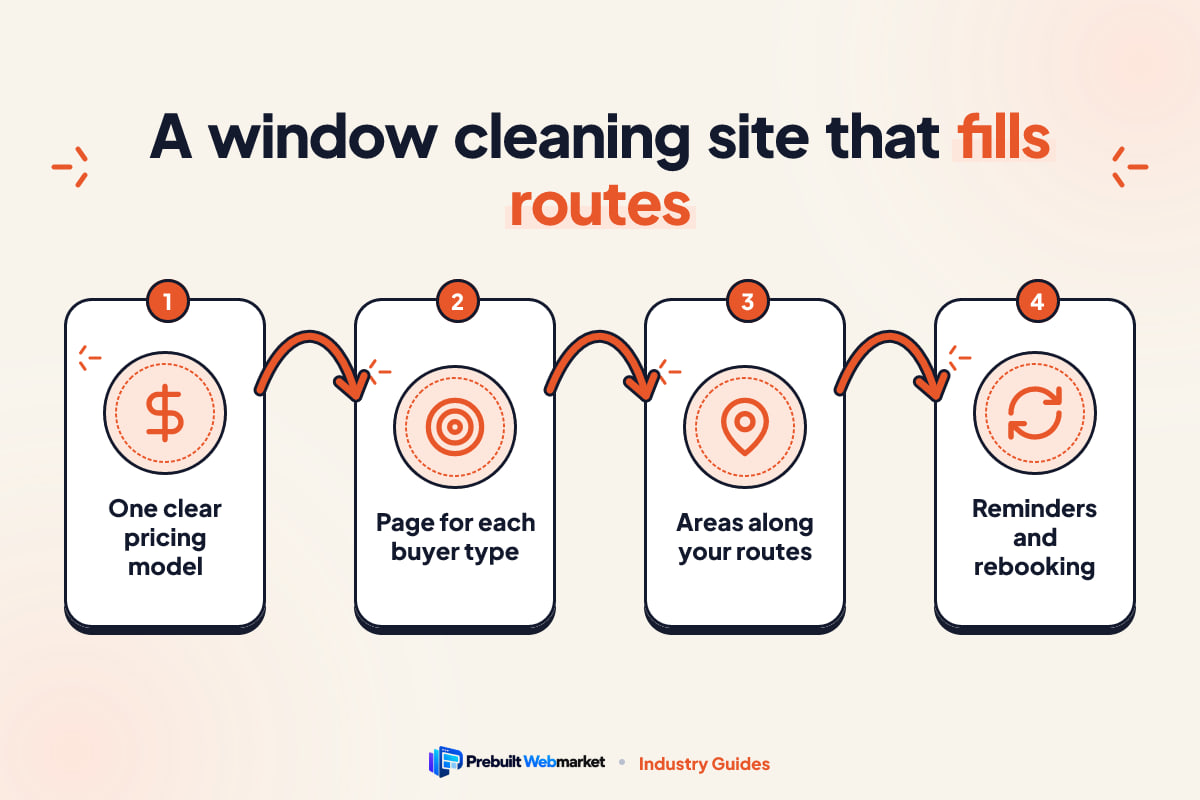
Quick answer
A good window cleaning website fills your route with nearby, repeat customers. It shows a price by pane or home size, separates homeowners from commercial buyers, sells add-ons during the quote, proves you are insured and safe at height, has a page for each area you serve, and replies to every enquiry within minutes. A prebuilt version starts at $97 a month and launches in about 7 days.
Key takeaways
- Judge your website by whether it fills your route with nearby customers who rebook, not by how it looks.
- Pick one pricing model (per pane, per window, per home or per visit), show it on the site and explain what changes the price.
- Homeowners, storefronts, property managers and solar owners want different things. Give each its own page and its own call to action.
- Build service area pages around the suburbs and towns where your routes already run, so new work lands near existing stops.
- Most of the value is in repeat visits. Reminders, review requests and missed-call text-back matter as much as the site itself.
- A prebuilt window cleaning website costs from $97 a month plus $297 setup, with 100/100 on-page SEO and 95+ PageSpeed guaranteed at launch.
In this article
- What should a window cleaning website do?
- The four kinds of window cleaning customer
- The pages every window cleaning website needs
- Window cleaning website design: choosing a look that fits your work
- Speed, mobile and the technical basics
- Window cleaning SEO: how to show up in local search
- How do window cleaning companies get recommended by AI assistants?
- How fast should a window cleaner reply to a quote request?
- What does a window cleaning website cost?
- Mistakes window cleaning websites make
- Your window cleaning website launch checklist
- How PrebuiltWebMarket helps window cleaning companies
- Your next step
- Frequently asked questions
A window cleaning website has one job: to fill your route with customers who live near your existing stops and who book again. The best window cleaning website shows a price quickly, separates homeowners from commercial buyers, offers add-ons during the quote, proves you are insured and safe at height, has a page for each area you work, and gets a reply to every enquiry within minutes.
This is our complete guide for owners of window cleaning companies in the United States and Australia, from one-van operators to crews running storefront and high-rise contracts. It covers what the site must do, the pages and pricing models, design, speed, local SEO, AI search, follow-up, honest costs and a launch checklist. Where a topic deserves more depth, we link to a dedicated article.
What should a window cleaning website do?
A window cleaning website should win nearby jobs, turn first-time customers into repeat schedules, raise the value of each visit with add-ons, and make a stranger comfortable letting you work on their home or building. If it does those four things on a phone, it is doing its job. If it only looks good, it is not.
Most advice about small business websites treats every trade the same. Window cleaning is different in a few ways that should shape every decision you make about your site.
Fill the route, not just the calendar
Your profit depends on how many jobs you fit into a day, and that depends on drive time. A $250 job 45 minutes away can be worth less than a $180 job two streets from your last stop. Your website should attract work where you already go. That means service area pages built around your real routes, a clear list of suburbs or neighbourhoods you cover, and honest travel minimums for anything outside them.
Turn one-off jobs into repeat schedules
Windows get dirty again. A homeowner who books once may need you every three, four or six months, and a storefront may need you every week or two. The real value of a new customer is the repeat schedule, so the website should present a plan, not just a single visit. Show what a quarterly or twice-yearly schedule looks like and make it easy to say yes to.
Raise the value of every stop
Once the ladder is off the van, adding screens, tracks, gutters or a pressure wash is efficient work. Customers often do not know you offer these extras. A website that shows them inside the quote form, with a price beside each, lifts the value of the visit without a hard sell.
Prove you are safe on a ladder and on a roof
You are working at height on someone else’s property, sometimes while they are out. People want to know you are insured, trained and careful with screens, blinds and flowerbeds. Commercial buyers want certificates and written safety procedures. Trust is not a nice extra on a window cleaning website; it is part of the sale.
The four kinds of window cleaning customer
Before you plan pages, decide who you want more of. Most window cleaning companies serve some mix of four buyers, and each one searches, compares and decides differently. A site that speaks to all four in one paragraph usually persuades none of them.
The table below sets out what each buyer is looking for and what your site needs to show them.
| Buyer | What they search for | What they need to see | Best call to action |
|---|---|---|---|
| Homeowner | “window cleaning near me”, “window washing [town]” | A price, a date, care inside the home, reviews from neighbours | Instant quote or price by home size |
| Storefront or office | “storefront window cleaning [city]”, “commercial window cleaner” | Regular schedule, early or after-hours visits, simple invoicing | Request a route quote |
| Property manager or strata | “high-rise window cleaning”, “building window cleaning contractor” | Insurance certificates, safety procedures, access methods, references | Book a site walkthrough |
| Solar and specialist | “solar panel cleaning [town]”, “hard water stain removal glass” | Method, safe products, before and after photos | Quote with photos uploaded |
Homeowners decide quickly
A homeowner usually opens two or three websites, looks for a price and a review, and books whoever makes it easiest. They care about whether you will track mud through the house and whether the price on the screen is the price they pay. Your residential page should answer both in the first screen.
Storefronts buy reliability
A café or shop owner wants clean glass every week or fortnight without having to think about it. They care about visits before opening time, consistency and an invoice they can pay without chasing. A short commercial route page with a starting price per visit often wins this work.
Property managers buy proof
Buildings with several storeys, strata or body corporate properties, and offices bring larger contracts, but the buyer is cautious. They need to see insurance, safety procedures and the access methods you use, such as water-fed poles, lifts or rope access. Our HighRise Glass Services demo in Detroit shows how a commercial-first site leads with contract schedules and technical detail.
Solar and specialist work needs explanation
Solar panel cleaning, hard water stain removal and post-construction glass cleaning are less familiar to buyers. They want to know how you do it and why it will not cause damage. These services need their own pages with your method in plain words and a few real photos.
The pages every window cleaning website needs
Most window cleaning companies need seven core pages: Home, Residential, Commercial, Pricing, Service Areas, About and Contact. Add a page for each add-on you sell and each area you genuinely serve. For a feature-by-feature breakdown with a 15-minute audit, read our window cleaning website features checklist.
The table below summarises each core page and the one job it must do.
| Page | Its one job | What must be on it |
|---|---|---|
| Home | Tell visitors in five seconds what you do, where and how to get a price | Headline with service and area, quote button, phone, 3 reviews |
| Residential | Win homeowners | Price guide, what is included, care in the home, rain policy |
| Commercial | Win routes and contracts | Schedules, after-hours visits, insurance, invoicing, access methods |
| Pricing | Remove the biggest reason people leave | Starting prices, minimum charge, plan discounts, add-on prices |
| Service Areas | Show you work nearby | One link per area page, map, travel minimums |
| About | Answer “who is on my roof?” | Owner and crew, insurance, training, equipment, how long trading |
| Contact | Make it easy to reach you | Tap-to-call, text, short form, hours, response time |
How to show pricing on a window cleaning website
Pricing is where window cleaning websites most often go wrong. Many say “call for a free quote” because prices vary. They do vary, but a visitor who cannot see any number usually assumes the worst and calls someone else. The fix is to choose a pricing model you can quote accurately most of the time, show it, and explain what changes it.
The table below compares the four common models.
| Model | How it works | Suits | Watch out for |
|---|---|---|---|
| Per pane | A rate for each pane of glass, inside, outside or both | Older homes with divided or French panes | Customers struggle to count panes; offer a photo upload |
| Per window | A rate for each window opening | Modern homes with large single panes | Very large or awkward windows need an extra charge |
| Per home or storeys | A set price by bedrooms or number of storeys | Fast quotes for typical suburban homes | Unusual homes need a manual check |
| Per visit or route | A set price for each scheduled visit | Storefronts, offices and recurring homes | Agree what is included in writing |
Whichever model you choose, state a minimum charge, list what pushes the price up (extra storeys, hard water stains, heavy build-up, difficult access) and say when you need to see the property first. Our Sparkle Pane Window Cleaning demo in Knoxville uses flat prices, while Crystal Coast Window and Solar in Wilmington prices by pane count. Seeing both helps you decide which fits your work.
Add-on pages that earn their place
Give a page to each add-on you do regularly: screens and tracks, gutter cleaning, pressure washing, solar panels, hard water removal. Each page answers one search, such as “gutter cleaning [town]”, and each one can link back to the main quote form. Do not create pages for services you do twice a year.
Window cleaning website design: choosing a look that fits your work
Design matters less than the pages above, but it does matter. Your site’s look tells a visitor what kind of company you are before they read a word. A premium residential company, a bright family business and a commercial contractor should not look the same.
Here is how the four styles in our window cleaning demos map to different businesses:
- Clean and minimal, as on ClearView Window Co. in Sacramento: plenty of white space, one strong quote button, suits companies that serve both homes and businesses and want to look tidy and modern.
- Commercial technical, as on the HighRise Glass Services demo: darker colours, schedules, safety and access methods first, suits companies chasing building contracts.
- Bright and friendly: warm colours and flat prices up front, suits owner-operators who sell on personality and value.
- Coastal fresh: light blues and solar or salt-air services, suits companies near the coast or with a strong solar panel line.
Use real photos, not stock
Stock photos of a smiling model holding a squeegee convince nobody. Use photos of your crew, your van, your equipment and real before and after shots. A phone camera is fine if the light is good. Close-ups of a streaky pane next to a clean one say more than any headline.
Keep the home page simple
The home page should show your headline, your areas, a quote button, a phone number and a few reviews in the first screen on a phone. Sliders, background videos and long animations slow the page and push the quote button further down. If an element does not help someone get a price, it can go.
Speed, mobile and the technical basics
Most people looking for a window cleaner are on a phone. They might be standing in the driveway looking at dirty upstairs windows, or a shop manager might be checking between customers. If your site takes a long time to load on mobile data, many of them leave before they see a price.
What Core Web Vitals mean for you
Core Web Vitals are Google’s measures of how a page feels to use: how quickly the main content appears, how fast the page responds to a tap, and whether things jump around while it loads. You do not need to understand the details. You need a site that loads quickly on a phone, does not shift buttons under the visitor’s thumb, and responds immediately when they tap the quote button. Our guide to website speed for local businesses explains the common causes of slow sites.
Forms that reach you while you are on a ladder
A quote form that sends an email you read at 9pm is too slow. Make sure every form sends you an instant text or app notification as well as an email. Test the form yourself every month. A form that silently stops working is one of the most common and expensive website faults, and you will not notice until enquiries dry up.
Security, accessibility and analytics
Your site should load over HTTPS, work for visitors using screen readers or larger text, and have analytics installed so you can see which pages bring enquiries. These are basics, but many older trade websites miss at least one. Every PrebuiltWebMarket site is mobile-first and ADA-friendly, with Google Analytics 4 set up at launch.
Window cleaning SEO: how to show up in local search
SEO, search engine optimisation, is the work of helping your business appear when people search. For a window cleaner, almost all of it is local: “window cleaning near me”, “window washing [suburb]”, “commercial window cleaning [city]”. Here is the order to work in, from the highest-value task down.
1. Complete your Google Business Profile
Your Google Business Profile is the listing that appears in Google Maps and the map results. Choose the most accurate primary category, set your service areas to the places you actually cover, list each service, add real photos and keep your hours up to date. If you work from home, you can hide your address and show a service area instead. Use the same business name, phone and website everywhere.
2. Build service area pages around your routes
This is where window cleaning SEO differs from most trades. Do not build pages for every town within an hour. Build pages for the suburbs and towns where your routes already run, because new jobs there make your days more efficient. Each page should mention the kinds of homes and buildings you see there, any local quirks (coastal salt, hard water, tree sap, construction dust), your usual schedule there and a review or two from customers in that area.
A page that could be copied to another town by changing the name will not do much. Our Florida window cleaning website guide shows how local conditions such as salt film and storm season change the content of an area page.
3. Ask every happy customer for a review
Reviews help with rankings and with decisions. Ask straight after the job, by text, with a direct link. A review that mentions the service and the place (“streak-free windows and screens in Westlake”) helps most. Reply to every review, including the occasional bad one, calmly and briefly.
4. Publish helpful content on a schedule
A blog gives you pages that answer the questions people ask before they hire you. Window cleaning has a clear seasonal pattern, so plan content around it. The table below is a simple calendar; adjust the months for the Southern Hemisphere if you work in Australia.
| Time of year (US) | What customers are thinking about | Article or page to publish |
|---|---|---|
| Late winter | Planning the spring clean | “How often should you have your windows cleaned?” |
| Spring | Pollen, dirty glass after winter | “Spring window cleaning: what is included and what it costs” |
| Summer | Hard water from sprinklers, solar output | “Removing hard water stains from windows” and “Does cleaning solar panels help?” |
| Autumn | Leaves, gutters, getting ready for guests | “Window and gutter cleaning before the holidays” |
| All year (commercial) | Storefront appearance | “How often should a storefront have its windows cleaned?” |
Each article should answer one question fully and link to the service and area pages it relates to.
How do window cleaning companies get recommended by AI assistants?
Window cleaning companies get recommended by AI assistants by making their website easy to understand and quote: stating plainly what they do, where and for how much, answering common questions directly, adding schema markup, keeping business details consistent everywhere and earning genuine reviews. No one can guarantee a recommendation, but these steps remove the reasons to skip you.
More people now ask ChatGPT, Gemini, Perplexity or Google’s AI Overviews questions such as “who cleans solar panels near Sacramento?” Two terms describe the work of being included in those answers. AEO, answer engine optimisation, means structuring content so it can be lifted as a direct answer. GEO, generative engine optimisation, means making your business easy for AI models to understand, trust and cite. Our plain-English explainer on AEO and GEO goes deeper.
Write sentences an AI can quote
For example, “We clean windows, screens and gutters for homes in Folsom, Roseville and El Dorado Hills, from $199 for a single-storey home” is easy to quote. “Your trusted partner for sparkling results” is not. Put your services, areas and starting prices in plain sentences on the pages where they belong.
Answer real questions as headings
Use the questions customers actually ask as headings, and answer each one in the first two sentences under it. “Do I need to be home?” “What happens if it rains?” “Do you clean inside and outside?” “Are you insured for two-storey homes?” Short, direct answers are what answer engines lift.
Add schema and stay consistent
Schema markup is code that labels your business details, services, reviews and FAQs so machines can read them reliably. LocalBusiness and FAQ schema matter most for a window cleaner. Pair it with identical details on your website, Google Business Profile, Yelp, Facebook and directories. Inconsistent phone numbers or old addresses make it harder for both Google and AI tools to trust what they find.
If you do not have time to write, our SEO, AEO and GEO blog package publishes two articles a week on your site and sets up Google Search Console, Bing Webmaster Tools and schema markup.
How fast should a window cleaner reply to a quote request?
A window cleaner should reply to a quote request within minutes, ideally with an automatic text straight away and a personal reply within the hour. Homeowners usually ask two or three companies at once and book whoever answers clearly first. The difficulty is that you are often on a ladder or driving when the enquiry arrives, which is exactly why automation helps.
A follow-up sequence that runs while you work
A CRM, customer relationship management system, records every enquiry and sends the replies for you. The table below shows a simple sequence for a window cleaning company.
| When | What happens | Why it matters |
|---|---|---|
| Within 1 minute | Automatic text and email confirming the request and the estimate | The customer stops shopping around |
| Within 1 hour | You text or call to confirm details and offer dates | A human reply wins the job |
| Next day | Short reminder if there is no answer | Many people simply forgot |
| Day 4 | Final note with your next available date in their area | Recovers undecided enquiries |
| After the job | Thank you, review request, offer of a repeat schedule | Turns one visit into a customer |
| Before the next clean is due | Reminder with a one-tap rebooking link | Keeps the route full without new marketing |
Missed-call text-back
When you cannot answer, a missed-call text-back sends the caller a message straight away: “Sorry I missed you, I am on a job. What can I help with?” Most people reply rather than ringing the next company. Only text people who have contacted you or agreed to receive messages, and follow the business texting rules where you operate.
Rebooking is where the money is
The chart below is a worked example of how much one homeowner can be worth depending on how often they book. It uses a round price of $250 a visit so you can swap in your own.
- Once a year ($250 x 1)$250
- Twice a year ($250 x 2)$500
- Quarterly ($250 x 4)$1,000
- Every 2 months ($250 x 6)$1,500
Example only. Your prices and frequencies will differ.
Source: Illustrative example using a round price of $250 a visit; replace it with your own
In this example, moving a customer from one visit a year to a quarterly schedule turns $250 into $1,000 a year from the same driveway. Reminders and easy rebooking are what make that move happen, which is why follow-up deserves as much attention as the website itself.
Why nearby customers are worth more
Route density is the other half of the maths. The next chart is a worked example of a day with six jobs. When jobs are scattered, assume 30 minutes of driving between each; when they are clustered in neighbouring suburbs, assume 10 minutes.
- 150 minutesScattered (5 x 30 min)
- 50 minutesClustered (5 x 10 min)
Example only. Travel to the first job and home again is not included.
Source: Illustrative arithmetic: 5 drives between 6 jobs at 30 or 10 minutes each
Clustering saves 100 minutes in this example, often enough for one or two more jobs. That is why service area pages should follow your routes and why your rebooking reminders can offer dates when you are already in the customer’s area.
Our Scale plan sets up this follow-up for you in GoHighLevel. You can see what is included on the GoHighLevel CRM package page.
What does a window cleaning website cost?
A window cleaning website can cost very little in money and a lot in time if you build it yourself, a few thousand dollars or more from a freelancer or agency, or $97 a month plus $297 setup as a prebuilt site from us. The right choice depends on your budget, your time and how quickly you need it live.
There are four realistic routes. Each suits someone, and the table compares them fairly. For a longer comparison, see our page on prebuilt sites versus other options.
| Option | Time to go live | Upfront cost | Who maintains it | Best for |
|---|---|---|---|---|
| Do-it-yourself builder | Weeks of your own evenings | Low | You | New operators with more time than budget |
| Freelancer | Usually 2 to 8 weeks | Medium to high, varies widely | You, or the freelancer by the hour | Owners with a clear brief and time to manage it |
| Agency | Often 1 to 3 months | High | The agency, usually on a retainer | Larger companies wanting a fully custom brand |
| Prebuilt website | About 7 days | $297 setup | We do, with monthly edits included | Owners who want a proven site live quickly |
When each option makes sense
A DIY builder is a reasonable start if you are just beginning, have little budget and enjoy the work. A good freelancer suits an owner who knows exactly what they want and can review the work. An agency makes sense for a larger company with several crews and a marketing budget. A prebuilt site suits most established owner-operators and small teams who want a site that already works without managing a project.
If your current site gets visits but no calls, our article on why trade websites get no leads walks through the six usual causes. It is written for roofers, but the checks apply equally to window cleaners.
What our plans cost over a year
PrebuiltWebMarket has three plans. Every plan includes a prebuilt design customised to your brand, hosting, SSL, daily backups and monthly content edits, with no contract. The chart shows the first-year cost on monthly billing.
- Launch ($97 x 12 + $297 setup)$1,461
- Growth ($297 x 12 + $297 setup)$3,861
- Scale ($497 x 12 + $297 setup)$6,261
Paying yearly costs less: $970, $2,970 and $4,970 a year, plus the same $297 setup fee.
Source: PrebuiltWebMarket pricing, 2026
Launch is the website alone. Growth adds the blog with 8 articles a month and search tools. Scale adds the GoHighLevel CRM and automated follow-up. Using the earlier worked example, one quarterly homeowner at $250 a visit brings in $1,000 a year, so a couple of repeat customers cover the first-year cost of the Launch plan.
Mistakes window cleaning websites make
These are the faults we see most often. Most of them take an afternoon to fix.
- “Call for a quote” and nothing else. No starting price means many visitors leave before they ever call.
- Homes and buildings on one page. The homeowner reads about insurance certificates; the property manager reads about muddy boots. Neither feels it is for them.
- Add-ons hidden in a footer. Customers cannot buy screens, gutters or solar cleaning they do not know you offer.
- Service areas as a comma-separated list. It does not rank and does not persuade. Build real pages for the places your routes cover.
- No rain policy. People worry about booking a clean the day before a storm. Say what you do if it rains, and whether you return free.
- No mention of insurance or height safety. This is one of the first things a careful buyer looks for.
- A form that emails an inbox nobody checks. Test it monthly and send alerts to your phone.
- No reminder when the next clean is due. The easiest job to win is the one you already did last season.
A two-minute phone test
Open your website on your phone, on mobile data. Can you find a price within 30 seconds? Can you request a quote in under two minutes? Is there a page for the suburb you most want work in? Can you see a recent review without scrolling far? If two or more answers are no, the site is costing you jobs.
Your window cleaning website launch checklist
Use this checklist when you build a new site or rebuild an old one. Work through it in order; the first items matter most.
| Step | What to do | Done when |
|---|---|---|
| 1 | Choose your main buyer and pricing model | You can write your starting price in one sentence |
| 2 | Write the seven core pages | Home, Residential, Commercial, Pricing, Service Areas, About, Contact are live |
| 3 | Add quote form and tap-to-call | A test enquiry reaches your phone within a minute |
| 4 | Add add-on pages | Each extra you sell often has its own page and price |
| 5 | Build area pages for your routes | Your three busiest areas each have a specific page |
| 6 | Add trust proof | Insurance, safety, rain policy, real photos and reviews are visible |
| 7 | Check speed and mobile | The site loads fast on a phone and passes your two-minute test |
| 8 | Connect Google Business Profile and analytics | Profile is complete and enquiries are tracked |
| 9 | Set up follow-up and reminders | Every enquiry gets an instant reply and every customer gets a rebooking reminder |
Your first 90 days after launch
In the first month, finish your Google Business Profile and ask every customer for a review. In the second, add area pages for the next few places on your routes and one article a week answering a common question. In the third, look at which pages bring enquiries, improve the weakest, and make sure every past customer has a reminder set for their next clean.
Time the work to your season. Ideally the site should be live a few weeks before your busy period starts, which for most US companies is spring and for most Australian companies is late winter into spring, so new pages have time to be found.
How PrebuiltWebMarket helps window cleaning companies
We build websites for window cleaners from designs that already exist and already work. You can click through each one before you decide, which removes most of the guesswork of a custom build.
There are four live window cleaning website designs to choose from: ClearView Window Co. for a clean, modern look; HighRise Glass Services for commercial and high-rise contracts; Sparkle Pane Window Cleaning for flat-priced residential work with gutters and pressure washing; and Crystal Coast Window and Solar for pane-count pricing and solar panel cleaning. Each includes a per-pane quote calculator, residential and commercial pages, add-on pages and local trust badges.
Here is what happens when you choose one:
- You pick a design and, if you like, book a call.
- We customise it with your logo, colours, services, prices, add-ons and the areas your routes cover.
- We launch it within 7 business days of receiving your content, on your own domain.
- We look after it. Hosting, SSL, daily backups and monthly content edits are included.
Every site is guaranteed to score 100 out of 100 for on-page SEO and 95 or more for PageSpeed performance at launch. If you are not happy within 30 days, we refund your first month. Plans are month-to-month, and you keep your domain, your content and your leads. We do not promise rankings or a set number of enquiries; nobody honest can.
If you also run a house cleaning or janitorial side of the business, our complete guide to cleaning websites covers that market. You can also browse all our industry websites or see the locations we build for across the United States and Australia.
Your next step
If your current site hides its prices, mixes homeowners with commercial buyers or has no pages for the places your routes run, it is sending work to the company down the road.
Start by opening the window cleaning demos above and picking the one closest to how you want to be seen. Then book a free strategy call and we will tell you plainly whether a prebuilt site fits your business and which plan makes sense. If you would rather write, use our contact form.
Frequently asked questions
What should a window cleaning website include?
At minimum: a home page with a clear offer, separate residential and commercial pages, a pricing page or instant quote, a page for each add-on you sell, a page for each area you serve, an about page with insurance and safety details, real reviews and photos, and a contact page with tap-to-call and a short quote form. Everything should work well on a phone.
How much does a window cleaning website cost?
It depends on the route you take. A do-it-yourself builder has a low monthly fee but costs your time. Freelancers and agencies usually charge more up front for a custom build. A prebuilt window cleaning website from PrebuiltWebMarket costs $97 a month plus a $297 one-time setup fee, which is $1,461 in the first year on monthly billing, with hosting, SSL and 3 edits a month included.
Should I price by pane, by window or by home on my website?
Use whichever model you can quote accurately without a site visit most of the time. Per pane suits older homes with divided glass. Per window is simpler for modern homes. Per home or by number of storeys is quickest for the customer. Whichever you choose, show a starting price, list what changes it and set a minimum charge.
Do window cleaners need a separate commercial page?
Yes, if you want commercial work. Storefront owners and property managers look for recurring schedules, invoicing, insurance certificates and safety procedures, not a homeowner price. A separate commercial page lets you speak to them directly and rank for commercial searches, and it can ask for a walkthrough in place of an instant price.
How do I get my window cleaning business to show up on Google?
Start with a complete Google Business Profile using the most accurate category and your real service areas. Then give each service and each area you genuinely serve its own useful page, ask every happy customer for a review, keep your name, address and phone identical everywhere, and make sure the site is fast on a phone. Results build over months, not days.
Can ChatGPT or Google AI Overviews recommend my window cleaning company?
They can, but nobody can guarantee it. AI assistants favour businesses that state clearly what they do, where and for how much, answer common questions directly, use schema markup, have consistent details across the web and have genuine reviews. Writing plain, specific answers on your own site is the part you control.
How long does it take to launch a window cleaning website?
A custom build often takes several weeks to a few months. A prebuilt design already exists and only needs your logo, services, prices and areas, so PrebuiltWebMarket launches within 7 business days of receiving your content. If you want it live before your busy season, gather your prices, photos and area list a few weeks ahead.
What add-ons should a window cleaning website promote?
Promote the extras you actually do well and can schedule on the same visit: screen cleaning, track and sill detailing, hard water stain removal, gutter cleaning, pressure washing and solar panel cleaning are common. Offer them inside the quote form with a price for each, and give the bigger ones their own page so they can be found in search.
Do I need a blog on my window cleaning website?
Not on day one, but it helps over time. Articles that answer real questions, such as how often windows should be cleaned, what happens if it rains, or whether you clean screens, can rank in Google and be quoted by AI assistants. Publish on a steady schedule and keep each article about your services and your area.