
Quick answer
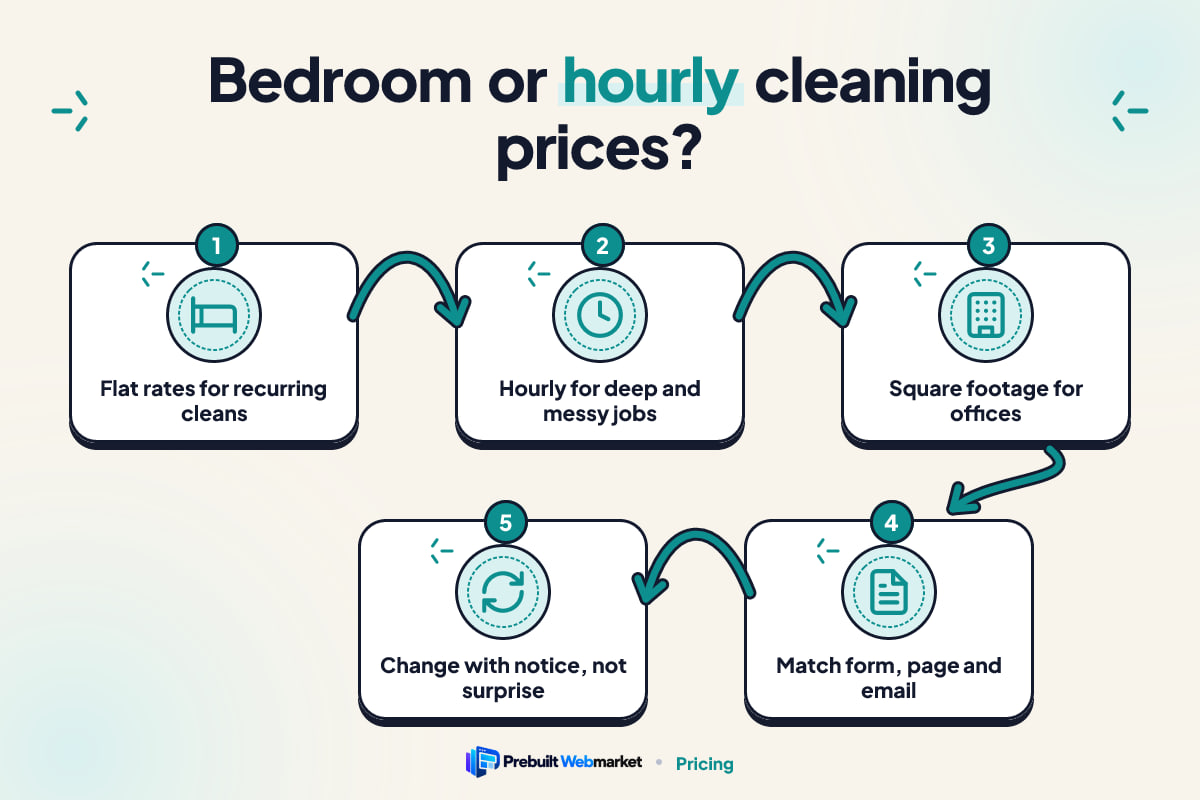
Price recurring house cleaning by bedrooms and bathrooms, because customers can answer those questions in seconds and see a firm price online. Use hourly rates per cleaner for first deep cleans, hoarded or neglected homes and open-ended jobs. Quote offices by square footage after a walkthrough. Whatever you choose, the quote form, pricing page and booking confirmation must all describe the same model in the same words.
Key takeaways
- Bedroom and bathroom flat rates suit recurring residential cleaning, where homes are similar and customers want a firm number before they book.
- Hourly rates per cleaner suit first deep cleans, neglected homes and jobs you cannot size from a form, but the customer needs an estimated range of hours.
- Square footage suits offices and commercial sites, and is usually quoted after a walkthrough rather than calculated live on the website.
- Your quote form, pricing page and booking confirmation must use the same model and the same words, or customers feel misled when the invoice arrives.
- Most residential cleaners do best with a hybrid: flat rates for recurring cleans and an hourly or quoted path for jobs that do not fit.
- You can change models later without losing customers if you honour existing prices, give notice and update every page at once.
In this article
- The decision behind your cleaning website pricing
- Flat rates by bedroom and bathroom
- Hourly rates per cleaner
- Square footage for offices and commercial sites
- The questions that decide it
- What each pricing model does to your quote form
- What each pricing model does to your pricing page
- The booking confirmation is where the model gets tested
- Our recommendation by type of cleaning business
- What to leave off your pricing page
- How to change your pricing model later
- Putting it into practice on your cleaning website
- Frequently asked questions
Cleaning website pricing works best when the model matches the job: flat rates by bedrooms and bathrooms for recurring house cleaning, hourly rates per cleaner for first deep cleans and homes you cannot size from a form, and square footage for offices, quoted after a walkthrough. Most residential cleaning companies end up with a mix, and that is fine as long as each customer is sent down one clear path.
The choice matters more for cleaners than for most trades because the price is usually the first thing a visitor looks for and the last thing they check on the invoice. The model you pick decides what your quote form asks, how your pricing page reads and what the booking confirmation promises. Get those three out of step and you lose the customer twice: once at the form, and again when the bill does not match what they thought they agreed to.
The decision behind your cleaning website pricing
The decision is not really about which number is higher; it is about who carries the risk that a job takes longer than expected. With a flat rate, you carry it. With an hourly rate, the customer carries it. With square footage, you share it, because the price is tied to something you can both measure.
That risk shows up on your website in three places:
- The quote form. A flat rate needs questions that size the home. An hourly rate needs questions that estimate the time. Square footage needs an address and a walkthrough.
- The pricing page. A flat rate shows prices. An hourly rate shows a rate, a minimum and an example. Square footage shows what you price on and how to get a quote.
- The booking confirmation. This is where the customer reads what they agreed to. A flat rate confirms a price. An hourly rate confirms a rate and an estimate. A commercial quote confirms a scope.
Most cleaning companies choose a model once, years ago, often by copying whoever trained them. Then they build or buy a website and the form gets designed around whatever the template offered. That is backwards. Decide the model for each type of job first, then build the cleaning website around it. (For the other pages a cleaning site needs, see our complete guide to cleaning websites; this article stays with pricing.)
Flat rates by bedroom and bathroom
Flat rates by bedroom and bathroom are the simplest model for a customer to understand, and they suit recurring house cleaning best. The customer picks three bedrooms and two bathrooms, picks fortnightly or weekly, and sees a price. No call, no maths, no surprise.
This model works because bedrooms and bathrooms are numbers every homeowner and tenant knows without thinking. Ask someone their floor area and most will guess. Ask how many bathrooms they have and they answer instantly. That certainty is what makes an instant price possible on a phone in the car park of a supermarket.
What the quote form asks
A bedroom-based form is short. In order, it usually asks:
- Bedrooms (a choice from 1 to 5+).
- Bathrooms, including half bathrooms or powder rooms.
- How often: weekly, fortnightly, monthly or one-off.
- Extras with their own prices: inside the oven, inside the fridge, interior windows, laundry.
- The postcode or ZIP code, to confirm you serve the area.
That is enough to show a price, and it is the flow behind the instant quote forms on our cleaning website designs. Name, phone and email come after the price, not before it. The GOV.UK Design System’s guidance on question pages says to “make sure you know why you’re asking every question and only ask users for information you really need”, and that applies to every field on a cleaning quote form. If a question does not change the price or the booking, take it out.
Where bedroom pricing breaks
Bedroom pricing breaks when two homes with the same count are not the same job. A three-bedroom apartment and a three-bedroom house with a large open-plan living area, two staircases and three dogs will not take the same time. Neither will a home cleaned every week and one that has not been cleaned in a year.
The fix is not to abandon the model. It is to add the one or two questions that capture the difference:
- Approximate size band, offered as ranges rather than an exact figure.
- Floors, because stairs add real time.
- Pets, because hair changes the vacuuming.
- When it was last professionally cleaned, which is the best single predictor of a heavy first visit.
Each answer should either change the price shown or route the customer to a different path (usually the hourly deep clean). If an answer changes nothing, it is the kind of field the GOV.UK guidance says not to ask.
What it costs you
Flat rates cost you the overruns. When a job takes an extra hour, you absorb it. Over a year of recurring cleans that evens out, but on one-off move-out jobs it can hurt. That is why most flat-rate cleaners keep the first clean or the move-out clean on a separate, higher price or an hourly rate.
Hourly rates per cleaner
Hourly rates per cleaner suit jobs you cannot size from a form: first deep cleans, homes that have been neglected, hoarding situations, post-renovation dust, and customers who want to choose which rooms get done. You are paid for the time the work takes, so a heavy job never becomes a loss.
The weakness is that a rate alone tells the customer almost nothing. Seeing “$X per hour per cleaner” on a page, they cannot work out what they will pay, so they cannot compare you with the flat-rate company two tabs over. An hourly model only works on a cleaning website if you add the estimate the customer is missing.
Writing an hourly rate a customer can use
An hourly rate on your website needs four things beside it:
- Per cleaner or per team. “Per hour” is ambiguous when two people arrive. Say which.
- The minimum booking. If you have a two-hour or three-hour minimum, show it next to the rate, not in the terms.
- A worked example. “Two cleaners for three hours is six cleaner-hours” turns an abstract rate into a total.
- An estimate by home size. A short list of typical ranges, such as a two-bedroom apartment taking a certain number of cleaner-hours for a deep clean, lets the customer place themselves.
The estimate should come from your own job records, not from a competitor’s site. Use ranges, because a single number reads as a promise.
What the quote form asks
An hourly form asks about time, not rooms. Useful questions are which rooms or tasks are in scope, the condition of the home (with plain options such as “regularly cleaned”, “a few months since a deep clean”, “very heavy”), and whether the customer would rather set a fixed number of hours or let the team finish the job.
That last question is worth having. Some customers want control: three hours, do what you can, kitchen and bathrooms first. Others want the job finished. Offering both, in plain words, stops the most common hourly complaint, which is a bill larger than the customer expected.
What it costs you
Hourly pricing costs you some conversions. Visitors who want a firm number before booking will leave for a company that shows one. It also costs you time on the phone, because more customers will ask “but how much will it be?” The trade is that you rarely lose money on a job, which makes it the right model for the work most likely to overrun.
Square footage for offices and commercial sites
Square footage is the standard way to think about commercial cleaning, and on a cleaning website it works best as an explanation rather than a calculator. Office, retail and medical sites vary too much in layout, traffic, washrooms, kitchens and access hours for a live price to be accurate.
What a commercial client wants from your website is different from what a homeowner wants. They want to see that you clean sites like theirs, that you can work outside business hours, that your staff are insured and vetted, and that getting a quote is easy. They expect a walkthrough. A form that promises an instant office price often produces a number you then have to walk back, which is a poor start to a contract.
What the quote form asks
Keep the commercial form short and different from the residential one:
- Type of site (office, retail, medical, gym, other).
- Approximate floor area, as a range.
- How often and at what times cleaning is needed.
- Contact name, role, phone and a preferred time for a walkthrough.
The form’s job is to book the walkthrough, not to price the job. Say that above the first field, so nobody expects a number at the end.
The questions that decide it
Five questions decide which model suits each type of job you do. Answer them for each service on your list (recurring, first deep clean, move-out, end-of-lease, post-construction, office) and the pricing model usually picks itself.
Can the customer size the job from a form?
If two homes with the same answers on your form reliably take about the same time, a flat rate works. If they vary widely, you need hourly pricing or a visit. Recurring cleans of maintained homes pass this test. First visits to unknown homes often fail it.
Will you do this job again and again?
Recurring work rewards flat rates, because overruns on one visit are balanced by quick visits later, and because a fixed price is easy to put on a direct debit or card on file. One-off work has no second visit to balance the first, which pushes it towards hourly or a higher flat rate.
Who books it, and how do they compare?
A tenant moving out compares three websites on a phone at night and books whoever shows a clear price. A property manager compares quotes in writing. An office manager wants a walkthrough. Match the model to how your buyer actually decides, not to what is easiest for you.
Do you have your own job-time records?
Flat rates need data. If you have recorded how long each home size takes for at least a few months, you can set flat rates with confidence. If you do not, start with hourly pricing for a season, record every job, and move to flat rates when the numbers are stable.
What does the job look like when it goes wrong?
Picture the worst version of the job: the move-out with a fridge nobody has opened in a year, the post-renovation clean with plaster dust in every cupboard. If that version would cost you badly at a flat rate, price it hourly or add a clear surcharge rule.
What each pricing model does to your quote form
Each model needs a different quote form, and the most common mistake on a cleaning website is a form that asks questions from one model and quotes in another. A form that asks for bedrooms and then shows an hourly rate leaves the customer wondering why they bothered.
The W3C’s guidance on labels and instructions for form fields puts the goal simply: “users know what information to enter.” It also warns that “too much information or instruction can be just as harmful as too little.” For a cleaning quote form, that means each field label should say exactly what you are counting. “Bathrooms (count a toilet and basin as a half)” is better than “Bathrooms”, and far better than a field labelled “Size”.
Flat-rate form
- Bedrooms and bathrooms as tap targets, not drop-downs, so they work with a thumb.
- Frequency as a choice of three or four.
- Extras as checkboxes with their price beside each.
- A running total that updates as the customer chooses.
For the running total, MDN’s documentation of the HTML output element describes it as a container “into which a site or app can inject the results of a calculation”, and notes that many browsers treat it as a live region, so screen readers announce the new total without the customer moving focus. That is a small detail with a real effect: everyone hears the price change as they add the oven clean.
Hourly form
- Rooms or tasks in scope, as checkboxes.
- Condition of the home, as three or four plain options.
- Capped hours or “finish the job”, as a clear choice.
- The estimate shown as a range, with the rate and the minimum beside it.
Commercial form
- Type of site, floor area range, frequency and access times.
- No price at the end; a confirmed walkthrough time instead.
What each pricing model does to your pricing page
The pricing page should explain the model before it shows a single number. A customer who understands why a three-bedroom home costs what it does is far less likely to argue at the door.
For flat rates, the page shows a short grid of home sizes and frequencies with prices, then a plain list of what every clean includes and what costs extra. Recurring plans belong side by side, so the customer can see the difference between weekly and monthly at a glance. The Brightwell Home Care demo in Austin is built around instant online pricing for recurring, deep and move-out cleans, which is the layout most residential flat-rate businesses want.
For hourly rates, the page shows the rate per cleaner, the minimum, a worked example and typical ranges by home size. It should also say what happens if a job runs over: whether the team stops at the cap, calls the customer, or finishes and bills the extra time.
For commercial work, the page explains what drives the price (floor area, frequency, washrooms and kitchens, access hours) and invites a walkthrough. The Crisp & Co. Cleaning demo in Denver takes a different approach, with flat-rate house and office cleaning backed by a fixed checklist, which shows how a business that wants firm prices for both sides can present them on one site.
The booking confirmation is where the model gets tested
The booking confirmation is the moment the customer reads what they agreed to, and it is where most pricing disputes start. It must repeat the model in the same words the form used.
A good flat-rate confirmation says: the service, the home size the customer entered, the frequency, the price per visit, the extras and their prices, and the rule for homes that turn out larger or dirtier than described. A good hourly confirmation says: the rate per cleaner, the number of cleaners, the minimum, the cap or the estimated range, and what happens if the job runs over. A commercial confirmation confirms the walkthrough time and who will attend, and nothing about price yet.
Here is a flat-rate confirmation written in plain words (the business and prices are illustrative):
Your fortnightly clean is booked for Wednesday 4 November, 9am to 12pm. You told us: 3 bedrooms, 2 bathrooms, 1 floor, 1 dog. Price per visit: $X, plus $Y for inside the oven. If the home is much larger or needs much more work than described, your cleaner will call you before starting extra work.
That last sentence does more for your reviews than any badge on the home page. It is also the place to apply the W3C’s guidance on suggesting how to fix errors: if the customer’s answers do not add up (four bedrooms and no bathrooms, say), the form should tell them what looks wrong and how to correct it before they book, not leave your team to sort it out at the door.
Our recommendation by type of cleaning business
Most residential cleaning companies should lead with flat rates by bedroom and bathroom for recurring cleans, and keep an hourly or quoted path for first deep cleans and heavy jobs. Here is how that plays out for the businesses we see most often.
A residential cleaner focused on recurring clients. Flat rates by bedroom and bathroom, with frequency discounts. Put the first clean at a separate, higher flat rate or on an hourly estimate, and say so on the pricing page. This is the model that makes instant online booking work.
A move-out and end-of-lease specialist. Flat rates by bedroom and bathroom, set higher than recurring work, with clear extras (inside the oven, walls, carpets, balcony) and a rule for very heavy properties. Tenants comparing companies on a phone want a firm number, and agents want a predictable scope.
A deep clean, hoarding or post-construction specialist. Hourly per cleaner with a written estimate, or a quote after photos or a visit. Your jobs vary too much for a calculator. Your website should ask for photos and book a visit, and the pricing page should explain how you estimate.
A solo cleaner or a two-person team just starting out. Hourly with a minimum, for one season, while you record job times. Then move recurring work to flat rates. Hourly pricing protects you while you learn how long homes really take.
A company doing homes and offices. Two paths from the home page: “Home cleaning” leads to the flat-rate form, “Office cleaning” leads to the walkthrough form. Never send an office manager to a form that asks how many bedrooms they have.
Whichever applies, your pricing model and your website cost are separate decisions. If you are weighing up what the site itself should cost, our cleaning website cost guide breaks down the options from DIY to agency.
What to leave off your pricing page
What to leave off matters as much as what to put on. These items make a cleaning website’s pricing harder to trust, not easier.
- A from price nobody can book. If the lowest price on the page is for a studio apartment you never actually clean, customers notice. Show a from price only if it is a real, bookable job.
- Both models on the same service. “From $X or $Y per hour” for a recurring clean leaves the customer to do your job. Pick one per service.
- Fees that first appear at checkout. Travel, parking, supplies or weekend loadings belong on the pricing page and the form. Surprise fees lose bookings at the last step, and in many places consumer law expects compulsory charges to be shown up front.
- “Call for a quote” on standard house cleaning. For recurring residential work, hiding the price sends visitors to the competitor who shows one. Keep “call us” for the jobs that genuinely need it.
- Exact floor area questions for homeowners. Most people do not know their square footage. Ask for a range, or ask about bedrooms instead.
- Fine print that changes the model. If the terms say “all prices are estimates, billed hourly”, your flat rates are not flat. Make the terms match the page.
How to change your pricing model later
You can change your pricing model without losing your best customers, as long as the change is planned, announced and applied everywhere at once.
Moving from hourly to flat rates
- Collect the data. Pull at least three months of job times by home size and frequency. Exclude first visits, which run long.
- Set the rates. Work out the typical time for each home size, apply your hourly rate, and round to a clean number. Check that the result still covers your heaviest regular homes.
- Protect existing clients. Keep current recurring customers on their existing price for a stated period, and tell them in writing before anything changes.
- Change every page on the same day. The quote form, pricing page, booking confirmation, FAQ, terms and any price on your Google Business Profile should all switch together.
- Watch the first month. Compare the flat prices you charged with the time each job actually took, and adjust any home size that is consistently off.
Moving from flat rates to hourly
This direction is harder, because customers are giving up certainty. Do it for specific services (deep cleans, post-construction) rather than across the board, explain why on the pricing page, and give a typical range so customers can still estimate.
Testing before you commit
If you are unsure, add the new model as a second path for one service and leave the rest unchanged. Watch how many people finish each form and how many disputes each produces over a season. That evidence, from your own customers, beats any rule of thumb in this article.
How easily you can make these changes depends on your website. If every price edit means emailing a developer and waiting a week, you will put off changes you should make. If you are comparing ways to run a cleaning website, our comparison of website options sets out the trade-offs between DIY builders, WordPress, freelancers, agencies and prebuilt sites.
Putting it into practice on your cleaning website
Start by listing every service you sell and writing the pricing model next to each. Then check that your quote form, pricing page and booking confirmation describe each service in the same model and the same words. Where they do not, fix the confirmation first, because that is the page customers hold you to.
If you want to see how a website for a cleaning company can carry instant flat-rate pricing, recurring plans and separate paths for homes and offices, you can browse our live cleaning website demos. A prebuilt cleaning website from PrebuiltWebMarket starts at $97 a month plus a $297 setup fee, launches within 7 business days of receiving your content, and includes monthly content edits so price changes are not a project. The plans and pricing page has the details.
If you would rather talk through which pricing model suits your mix of jobs before changing anything, book a free 45-minute call and bring your service list.
Sources
Frequently asked questions
Should a house cleaning website show prices by bedroom or by the hour?
For recurring house cleaning, bedrooms and bathrooms usually work better. Customers know those numbers, so they can get a firm price in seconds without a call. Hourly pricing suits first deep cleans and jobs where condition varies widely, but it needs an estimated range of hours beside the rate, or the customer cannot compare you with anyone else.
How do I stop customers underestimating their home on a bedroom price form?
Ask one or two extra questions that change the work, such as approximate floor area, number of floors, pets and the date of the last professional clean. State on the form that the price is confirmed at the first visit and explain what happens if the home is larger or dirtier than described. Then apply that rule consistently and politely.
Is it legal to advertise a from price on my cleaning website?
Advertising a starting price is common, but consumer law in the United States and Australia generally expects prices not to mislead. Make sure the from price is genuinely available for a real job, list compulsory fees, and do not add charges at checkout that the customer could not have known about. Check the rules that apply where you trade before publishing.
How should hourly cleaning rates be written on a website?
Say whether the rate is per cleaner or per team, give the minimum booking length, and show a worked example such as two cleaners for three hours. Add an estimated range of hours for common home sizes. A customer who sees only a rate per hour cannot work out the total, so they will usually ring a competitor who shows one.
Should commercial cleaning prices be on my website?
Usually not as a calculator. Office cleaning depends on floor area, frequency, hours of access, washrooms and kitchens, so most commercial clients expect a walkthrough and a written quote. Your website should explain what you price on, show the kind of sites you clean, and make booking the walkthrough easy, with a short form rather than a price tool.
Can I switch my cleaning business from hourly to flat-rate pricing?
Yes. Work out flat rates from your recorded job times, keep existing clients on their current price for a stated period, and tell them in writing before anything changes. Update the quote form, pricing page, confirmation emails and FAQ on the same day so no page still describes the old model.